
What's New in SubC Streaming Services v4.2.4
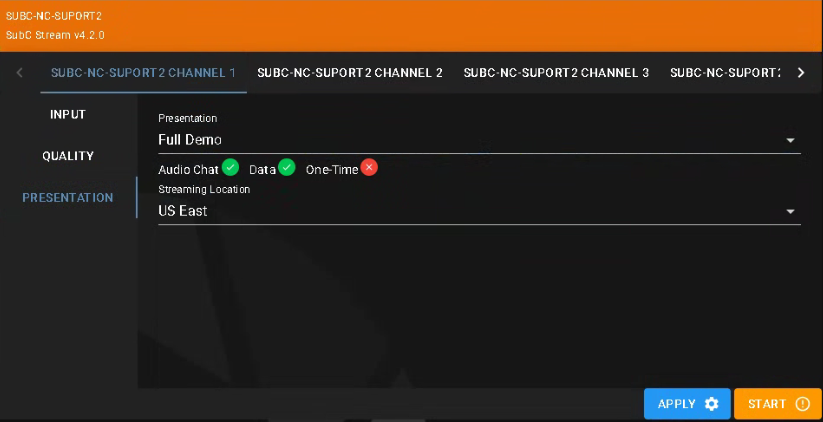
In Home → Groups → Desktop we’ve added an “Apply” button to the Channel configuration
Click the Apply button to apply the current configuration to the desktop application Channel.
Click the Start button to begin Streaming when you have completed the Channel configuration.
Presentation as Input - you can now select a Channel. SD-356
& Button is always Apply (SD-357)
& Button is always Apply (SD-357)
Billing - Now shows “Internal” (SD-466)
SD-885 - No more swear words ins Access code.