Required Components
-
MantaRay laser
-
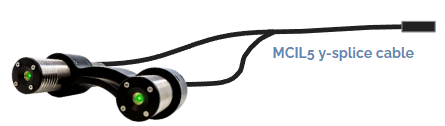
MCIL5 y-splice cable
-
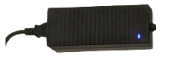
AC-DC power supply (24VDC)
Always review Laser Safety Precautions and wear laser safety glasses. Review datasheet for laser specifications.
Warning: Observatory MantaRay lasers must not be used with Standard Rayfin models. If connected to a Standard Rayfin, the laser will turn on immediately and will not be controllable. Only use an Observatory MantaRay with an Observatory Rayfin.
|
# |
MCBH5M |
|
1 |
GND |
|
2 |
Power (7 - 32.5 VDC) |
|
3 |
N/C |
|
4 |
N/C |
|
5 |
N/C |
Relay Operation
-
The laser is OFF by default when connected to an Observatory Rayfin.
-
When the Observatory Rayfin is powered ON and its internal relay is toggled via software, 15-32.5 VDC is applied to pin 2, the output is ON.
The Observatory MantaRay is not designed for standalone use.
Setup Steps (Rayfin Aux Port)
-
Plug MCIL5 y-splice cable into the MantaRay modules.
-
Plug the MCIL5M end of the y-splice into the Rayfin aux port.
-
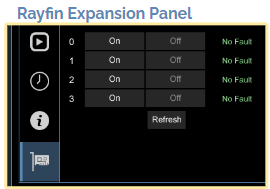
In the expansion panel of the Rayfin Control Software (RCS), control the laser with the On/Off controls of Aux Port 3
AC-DC Power Supply