
Table of Contents
The commands used in this document are examples, please ensure you are getting all commands from the API Calls page.
Getting Started
This document provides scenario style examples for sending GET and POST requests using Postman.
Also refer to the API Calls document for API usage and examples.
Sending a GET Request
Let's say you are running the application API on IP 192.168.2.99 on port 8080 (port 8080 is the default port number).
If we want to set the camera to auto focus, we start with the base of http://192.168.2.99:8080/api/focus/auto.
Before proceeding to the Steps, here is an overview example:
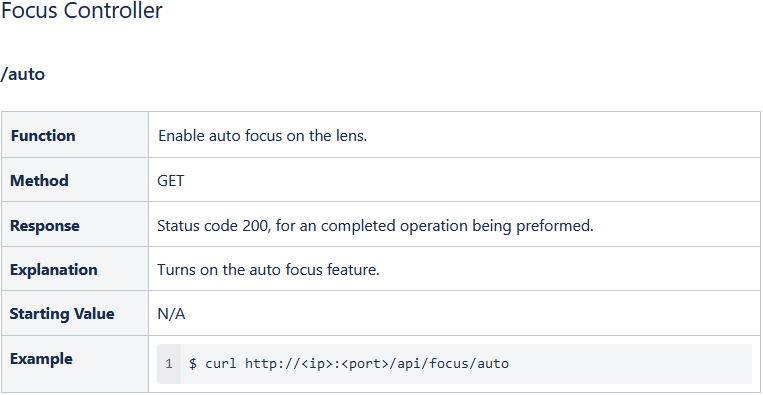
Postman GET Example
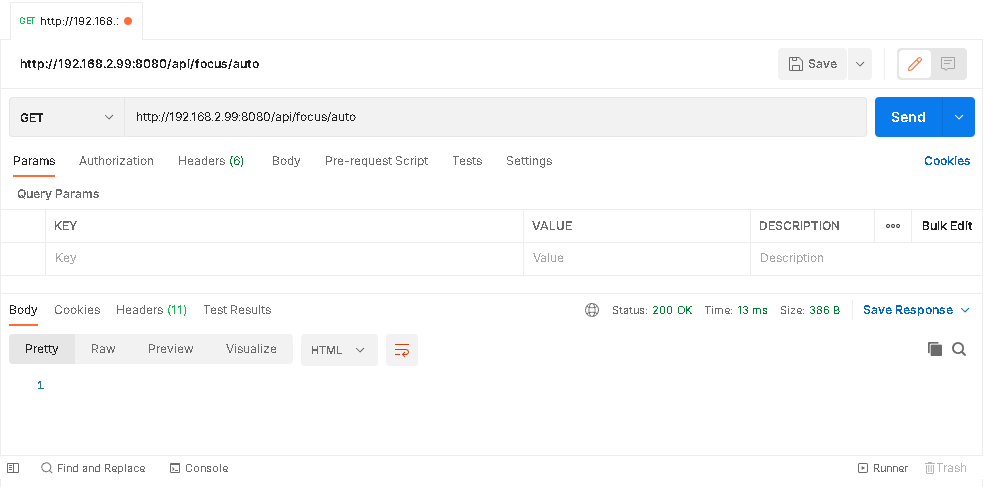
GET Steps
-
Open Postman
-
Choose the method Get
-
Fill-in the URL address - Example: http://192.168.2.99:8080/api/focus/auto
-
Click the Send button
-
When complete, the Status response should be “200 OK”
Sending a POST Request
Sending a POST request is similar to sending a Get Request, with a few additional steps.
Before proceeding to the Steps, here is an overview example:
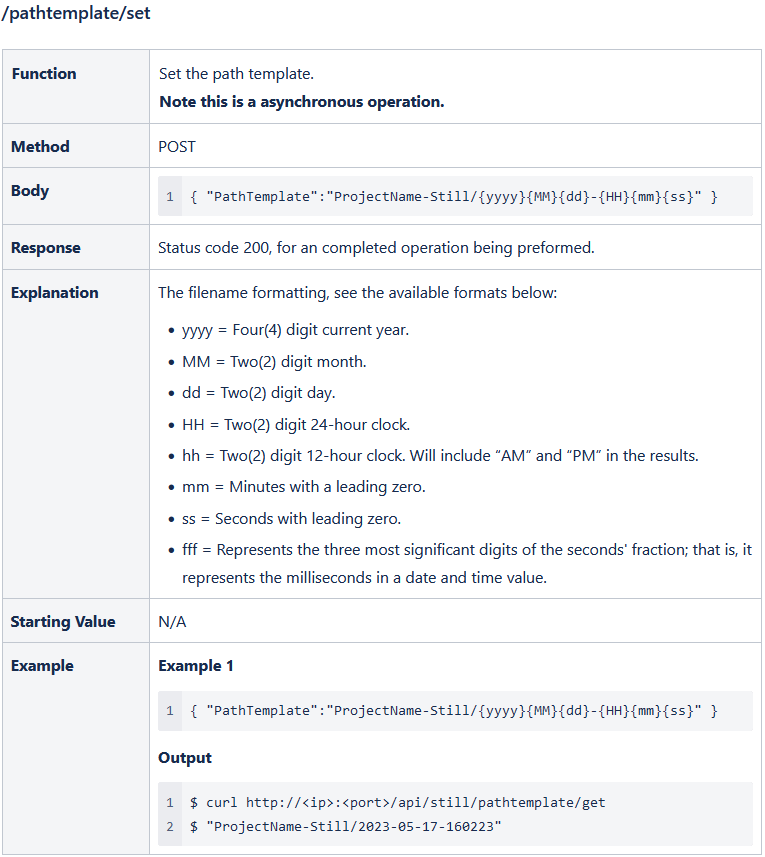
Postman POST Example
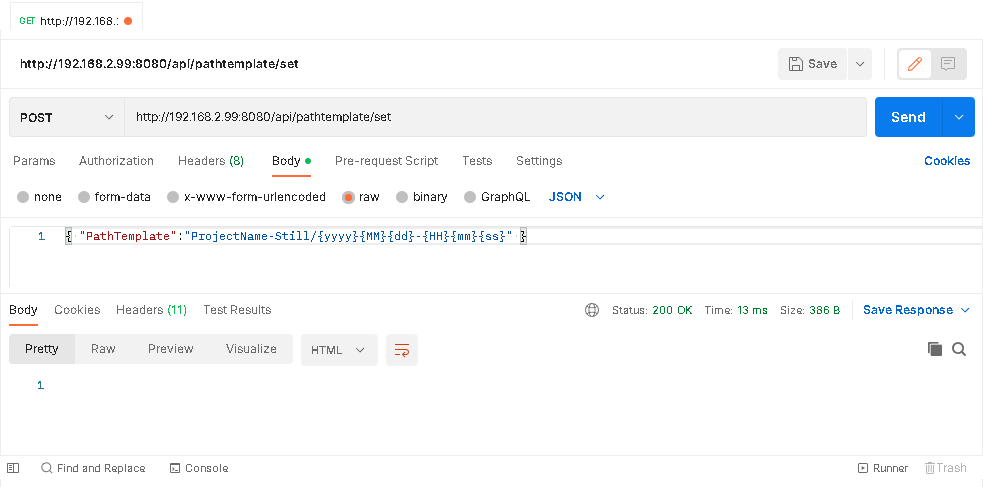
POST Steps
-
Open Postman
-
Choose the method POST
-
Fill-in the URL address
Example: http://192.168.2.99:8080/api/pathtemplate/set -
Click on Body tab
-
Select raw
-
From the drop-down, choose the type as JSON
-
Populate the command field and modify as needed.
Example: { "PathTemplate":"ProjectName-Still/{yyyy}{MM}{dd}-{HH}{mm}{ss}" } -
Click the Send button
-
When complete, the Status response should be “200 OK”