There may be times when viewers may wish to not hear the conversations between other parties during a Presentation, even though Audio Chat / Audio Rooms is enabled and required by others engaging in the Presentation.
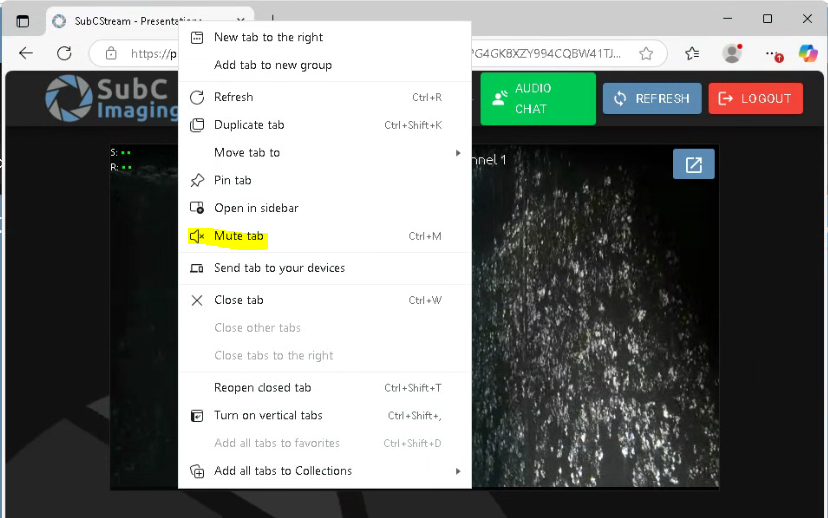
Simply right-click the browser tab and select Mute tab to silence the audio for your own Presentation browser.