The Control buttons are located at the bottom, center of the SubC Software when a Channel is configured with Input.

|
When you have a channel configured with a video input, click on the Blackbox button to Start Blackbox recording. If you have not yet assigned a file folder to store the Blackbox recordings, the File Explorer window will open when you click the Blackbox button. Choose a folder and click “Select Folder”. The File Explorer window will close and Blackbox recording will begin. |
|---|---|

|
Notice the Blackbox button changes by including a red square to indicate Blackbox recording is in progress. Click this button again to Stop Blackbox recording. The button then changes back to the Start Blackbox recording button. |

When you have a channel configured with a video input, click on the Start Record button to begin recording.
If you have not yet assigned a file folder to store the recordings, the File Explorer window will open when you click the Record button. Choose a folder and click “Select Folder”. The File Explorer window will close, and recording will begin.

Notice the Recording Button changes from a circle to a square. When it is square, Recording is in progress. Click this square to Stop Recording. The button then changes back to the Start Recording (circle) button.


Click on the Camera button to take a Framegrab / Still photo. This can be done any time the video input on the channel is active (including while the Channel is or is not Recording &/or Streaming).
RDI will appear on the Camera icon when RDI is turned on.
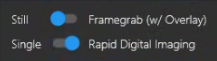
If you have not yet assigned a file folder to store the framegrabs, the File Explorer window will open when you click the Camera button. Choose a folder and click “Select Folder”. The File Explorer will close, and the current frame will be saved to the selected folder when you clicked the Camera button.
Also notice a subtle indicator appears when you take a framegrab – a thin square outline briefly appears closing in over the video, then disappears.
If you have subscribed to SubC Stream to Cloud service:

Click on the Start Streaming button to start Streaming the current active Channel.

When Streaming is started, the Streaming button icon changes to indicate that Streaming is currently in progress. Click this button to Stop Streaming and the button icon changes back to the Start Streaming icon again.
If you have subscribed to SubC Edge Streaming service:


Click the Start Edge Streaming button in the bottom, center, right tray.
The Edge Streaming button will change to include a red square - indicating that the Channel is now actively streaming to the Edge Server. Click this button again to Stop the Channel streaming to the Edge Server.
Thumbnails for quick review

Notice also, as you Record and take Stills / Framgrabs, thumbnails of your most recent saved videos / images appear on the bottom-left of the UI for quick review access.
If there is Data Input present, the most recent data recorded thumbnail also appears.
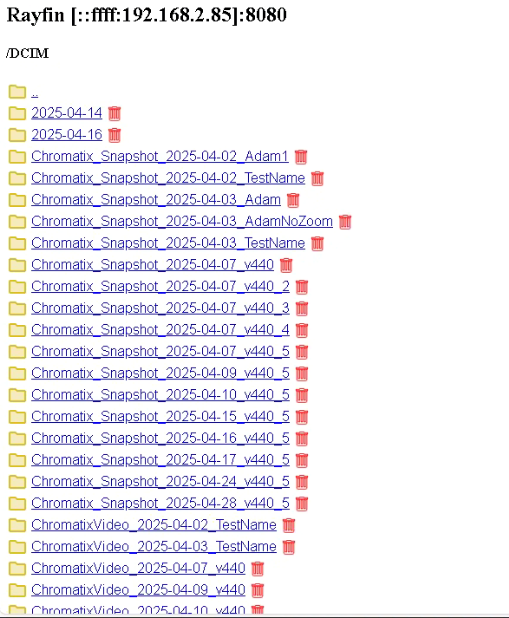
When you click on Review Media and Storage is Internal (Rayfin), you may receive this message box
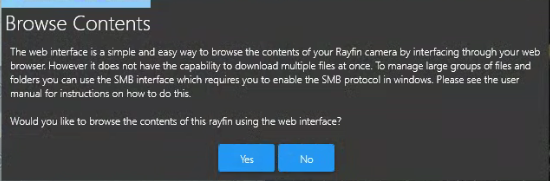
Click Yes to open the Rayfin Internal Storage folder in a Web Browser