

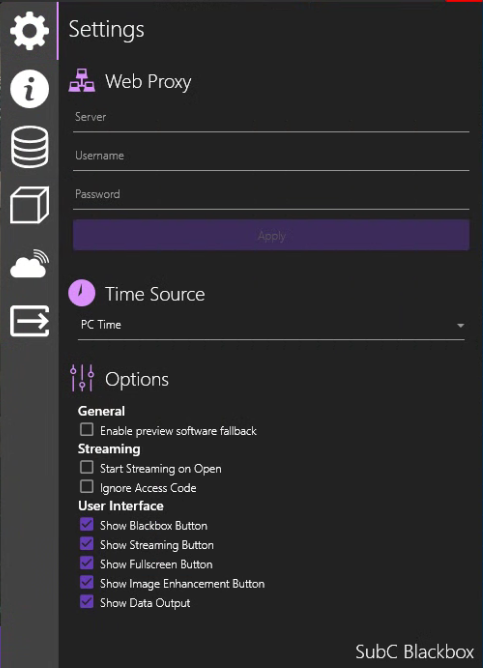
Menu → Settings
Web Proxy
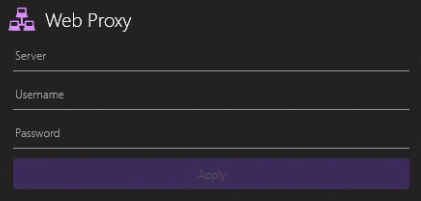
If your Network uses a proxy server, enter the proxy server name in the Server field, enter Username and Password, and click Apply.
A proxy server is a system or router that provides a gateway between users and the internet. Therefore, it helps prevent cyber attackers from entering a private network. It is a server, referred to as an “intermediary” because it goes between end-users and the web pages they visit online.
Time Source
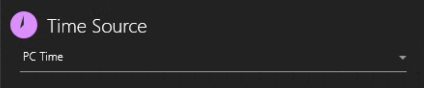
Select “PC Time” to sync the SubC application time source with its host PC clock.
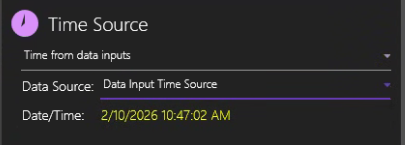
You can also select Time from data inputs, but you must first have Data Input configured with incoming data that includes date & time data. Example using NMEA Sender as Data Input Source.
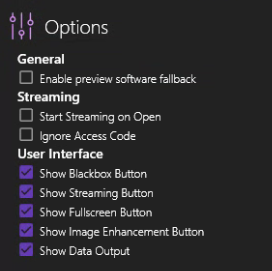
Options
General
-
Enable preview software on fallback
-
If the SubC desktop application Channel Preview & Main view video is not visible when the User has accessed the host PC via remote desktop, you can turn the Enable preview software fallback toggle on and then be able to see the Preview & Main video.
-
Streaming
-
Start Streaming on Open
-
When you close the SubC application, it remembers the Channel configurations (stored in its settings file) where you left off and those configurations will be applied when you open the SubC application again. You can also optionally turn the “Start Streaming on Open” feature so that when you open the SubC application again, it will automatically start streaming those previously configured Channels.
-
-
Ignore Access Code
-
Used only for SubC DVR+ / SCI applications Presentation Input. This allows you to connect a Channel to a Presentation without providing the Presentation Access Code.
-
User Interface
-
Show Blackbox Button
-
Show Streaming Button
-
You may occasionally choose to hide the Streaming button on the SubC Desktop application and control start / stop Streaming Channels from the SubC Streaming Service Web application.
-
-
Show Fullscreen Button
-
Show Image enhancement Button
-
Show Data Output
-
Show Data Output UI in the Menu → Data I/O
-