
SubC Preferred Functions
Routes
api/recording
api/anomalies
Functions
[Route(HttpVerbs.Post, "/addsequenceno")]
[Route(HttpVerbs.Get, "/fileextension")]
[Route(HttpVerbs.Get, "/filename")]
[Route(HttpVerbs.Get, "/status")]
[Route(HttpVerbs.Get, "/isrecording")]
[Route(HttpVerbs.Post, "/filename")]
[Route(HttpVerbs.Get, "/start")]
[Route(HttpVerbs.Get, "/stop")]
Route
api/stats
Functions
[Route(HttpVerbs.Get, "/ping")]
Route
api/framegrabs
Functions
[Route(HttpVerbs.Get, "/fileextension")]
[Route(HttpVerbs.Post, "/take")]
Route
api/overlay
Functions
[Route(HttpVerbs.Get, "/clear")]
[Route(HttpVerbs.Post, "/update")]
Required functions:
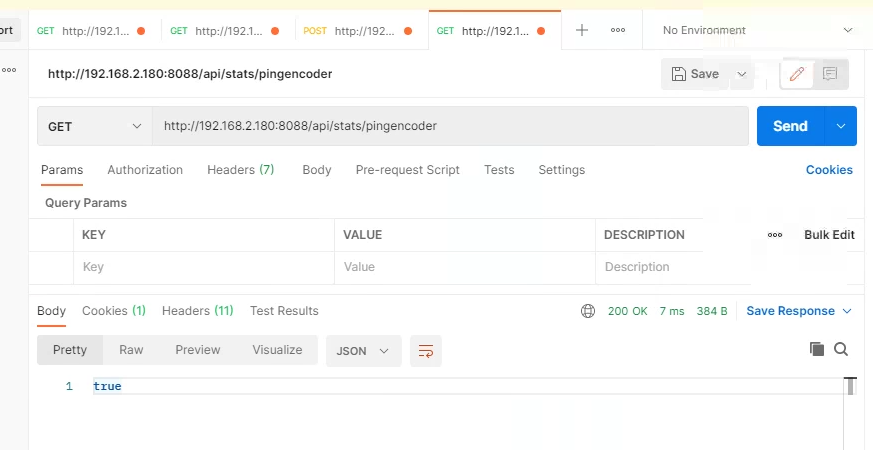
PingEncoder
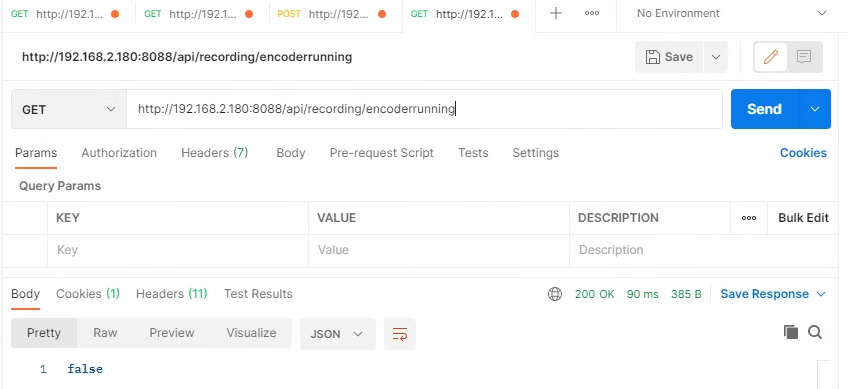
EncoderRunning
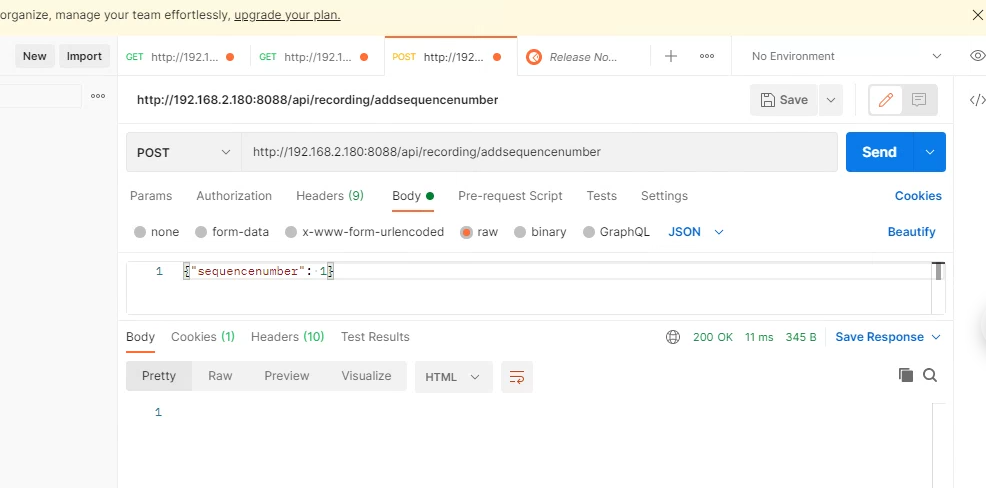
AddSequenceNo
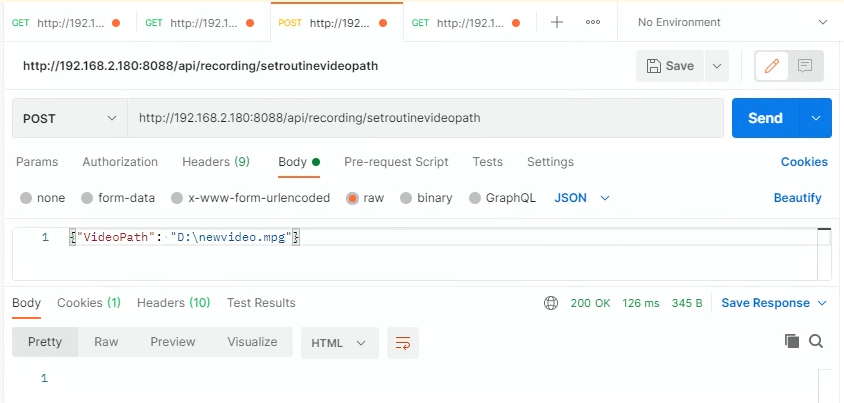
SetRoutineVideoPath
StartRoutineEncoding
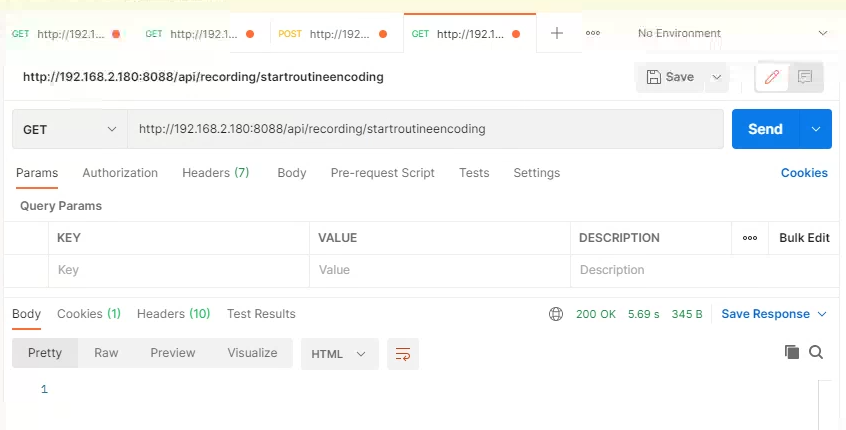
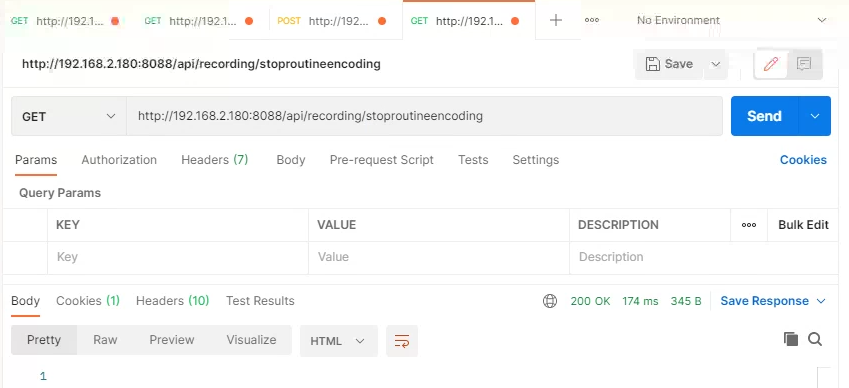
StopRoutineEncoding
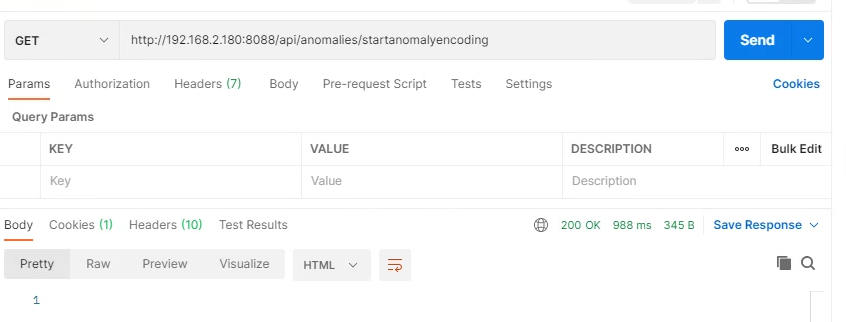
StartAnomalyEncoding
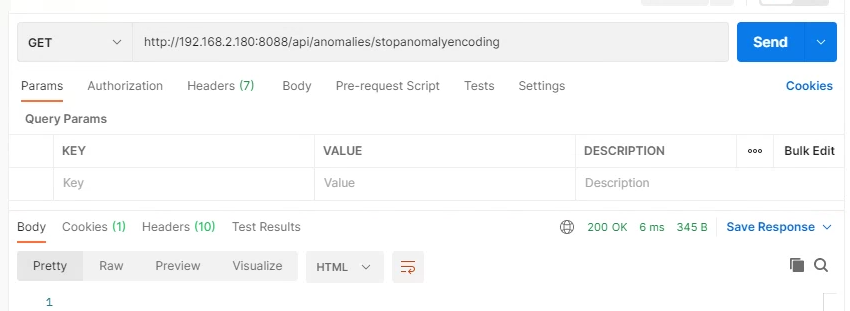
StopAnomalyEncoding
GrabAnomalyPhoto
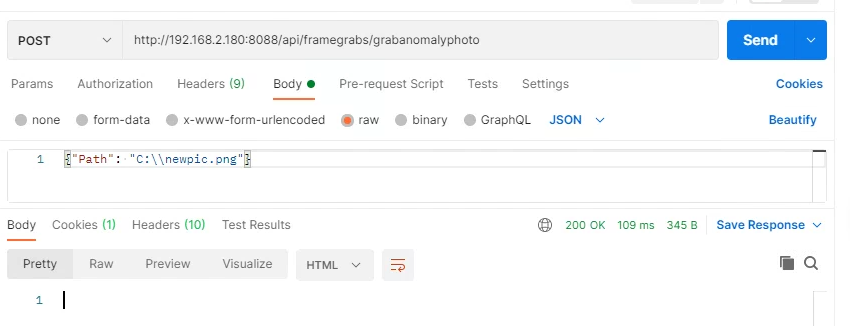
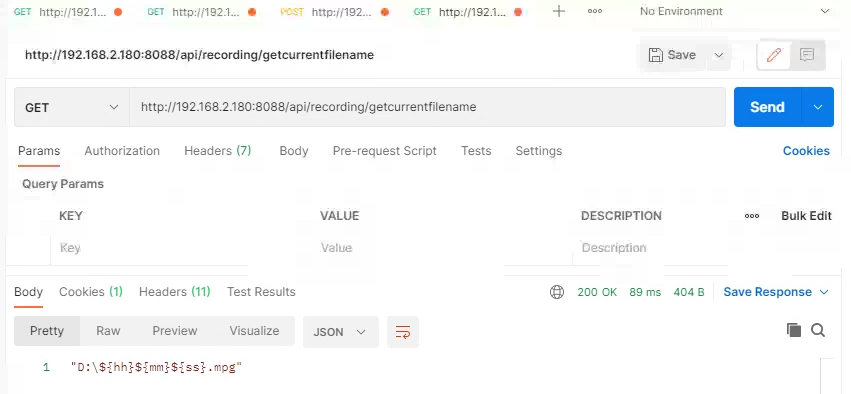
GetCurrentFilename
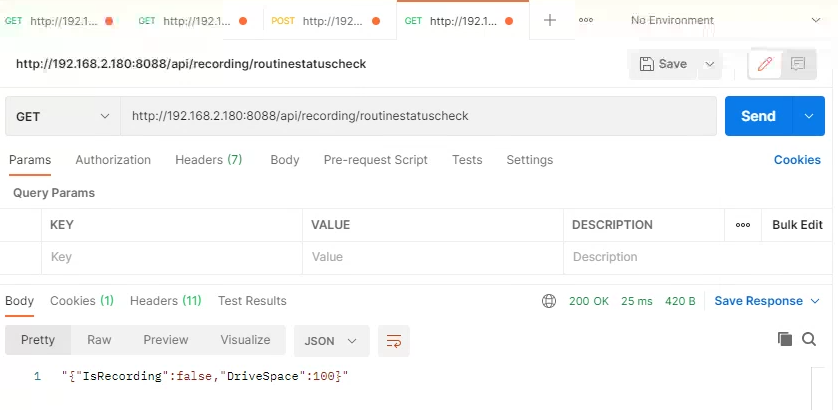
RoutineStatusCheck
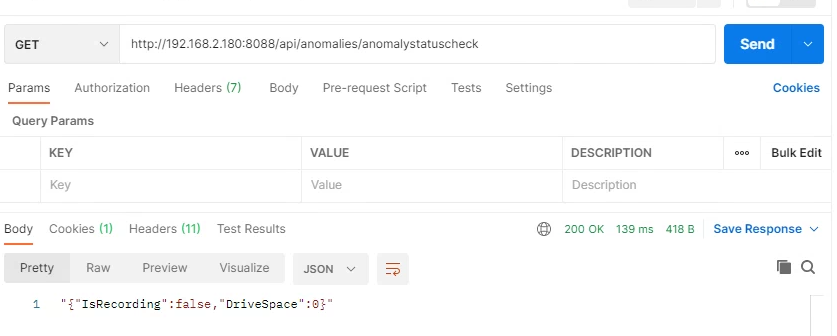
AnomalyStatusCheck
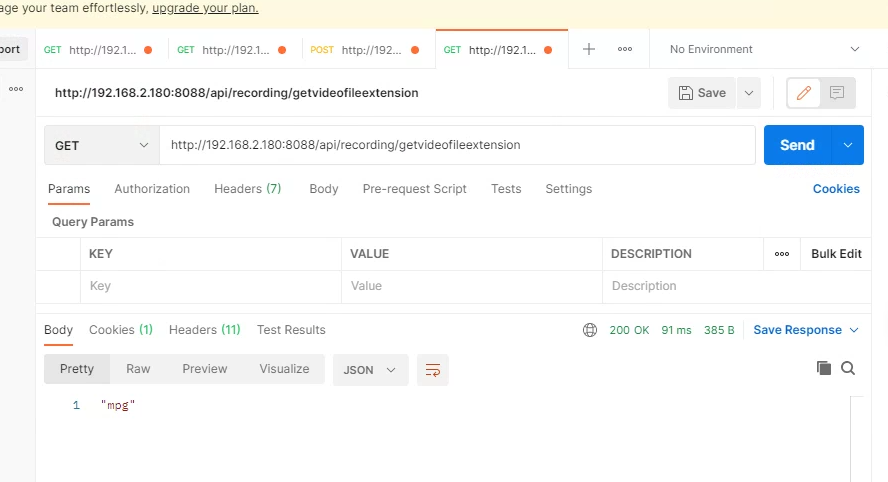
GetRoutineVideoFileExtension
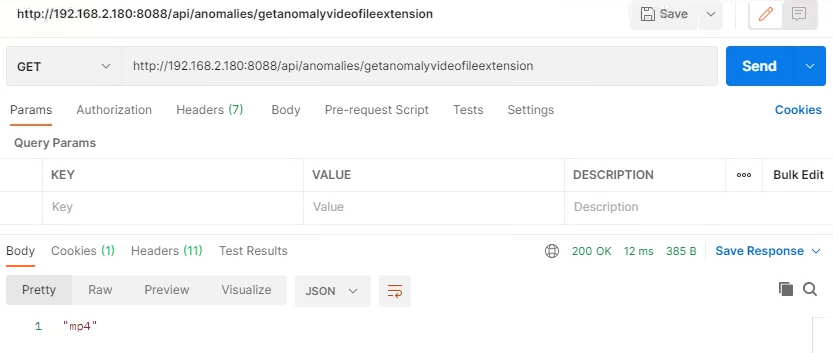
GetAnomalyVideoFileExtension
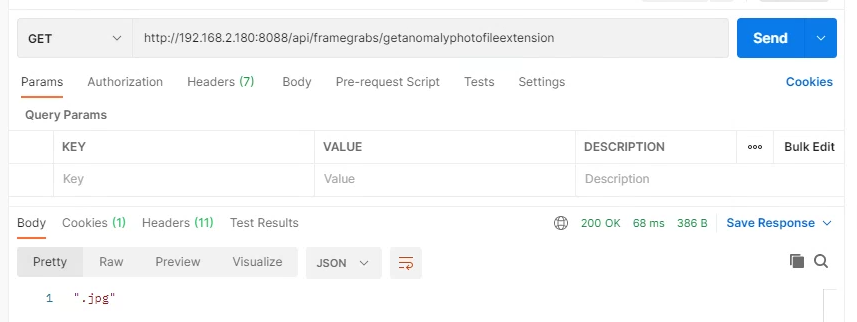
GetAnomalyPhotoFileExtension
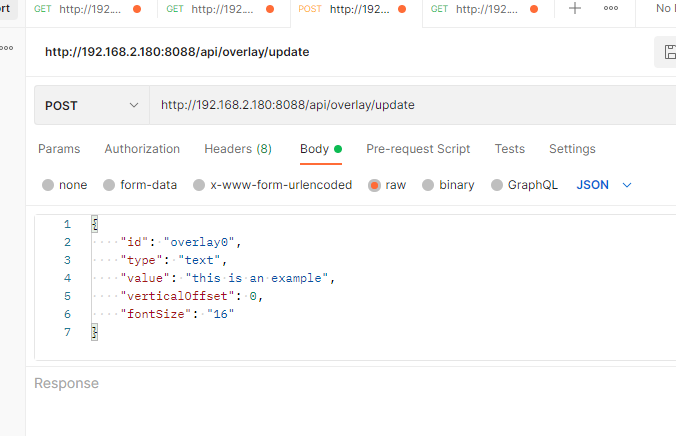
SetRemoteOverlay
ClearRemoteOvelay
Responses
For the status checks, what is an example of what you'd expect back, is it the same as Coabis? E.g. state=>{recordingState} store=>{percentageOfDiskSpaceRemaining}
What kind of overlay functionality are you looking for with SetRemoteOverlay. Something like SetRemoteOverlay("{type:text, text:overlayThis}") as JSON?
Will you be making the REST calls in your application, or will you be using a dll that we supply? E.g. httpClient.PostAsJsonAsync... or subc.SetFilename("c:\file.mp4")
-
Similar to Coabis is fine. We most commonly check the status for recording or idle, so perhaps two endpoints, one with a recording status (recording / idle / some error message) and one with more detail. But in the event of an error we probably wouldn’t try and read a detailed status, and would just have the user check the DVR directly. If there is just one detailed endpoint, we can ignore any json we don’t understand. We would need a separate status endpoint or field for the routine and the anomaly recording.
-
We’ve currently got a JSON object (using typescript annotation) with 8 lines of text as
{
overlayText1Type: string;
overlayText1Value: string;
overlayText2Type:string;
…
overlayText8Value:string;
verticalOffset: number
fontSize: string
}
but we don’t even use the type information. We’ve also got verticalOffset if we need to skip any lines to align the display, and fontSize.
For some overlays we will send the 8 lines as a single string with CRLF, so it could be as basic as we send
{
“type”:”text”
“text”:”\r\n\r\n\r\n\r\n\r\nThis is an overlay\r\nSplit over several lines\r\nOf text”
}
or alternatively an array
{
overlay: [{type: string; text: string;}]
}
and these are used as parameters in an overlay configured by the user on the DVR, so we just need to send eg workpack title as text[0], component name as text[1], etc. This is preferable if your overlay supports it, as the user can use all the features of the overlay without having to send it any detailed configuration object.
-
Yes, we can just make the REST calls directly
Current Implementation
using System;
using System.Runtime.InteropServices;


namespace encoder.SubCControl
{
    class SubCControlApi
    {

        [DllImport("SubCDVRCommands.dll", SetLastError = true, CallingConvention = CallingConvention.Cdecl)]
        public static extern bool PingEncoder(string ip_address);

        [DllImport("SubCDVRCommands.dll", SetLastError = true, CallingConvention = CallingConvention.Cdecl)]
        public static extern bool EncoderRunning(string ip_address);

        [DllImport("SubCDVRCommands.dll", SetLastError = true, CallingConvention = CallingConvention.Cdecl)]
        public static extern string AddSequenceNo(string ip_address, string Add);

        [DllImport("SubCDVRCommands.dll", SetLastError = true, CallingConvention = CallingConvention.Cdecl)]
        public static extern string SetRoutineVideoPath(string ip_address, string SaveLocation);

        [DllImport("SubCDVRCommands.dll", SetLastError = true, CallingConvention = CallingConvention.Cdecl)]
        public static extern string StartRoutineEncoding(string ip_address, string Filename);

        [DllImport("SubCDVRCommands.dll", SetLastError = true, CallingConvention = CallingConvention.Cdecl)]
        public static extern string StopRoutineEncoding(string ip_address);

        [DllImport("SubCDVRCommands.dll", SetLastError = true, CallingConvention = CallingConvention.Cdecl)]
        public static extern string StartAnomalyEncoding(string ip_address, string Filename);

        [DllImport("SubCDVRCommands.dll", SetLastError = true, CallingConvention = CallingConvention.Cdecl)]
        public static extern string StopAnomalyEncoding(string ip_address);

        [DllImport("SubCDVRCommands.dll", SetLastError = true, CallingConvention = CallingConvention.Cdecl)]
        public static extern string GrabAnomalyPhoto(string ip_address, string Filename);

        [DllImport("SubCDVRCommands.dll", SetLastError = true, CallingConvention = CallingConvention.Cdecl)]
        public static extern string GetCurrentFilename(string ip_address);

        [DllImport("SubCDVRCommands.dll", SetLastError = true, CallingConvention = CallingConvention.Cdecl)]
        public static extern string RoutineStatusCheck(string ip_address);

        [DllImport("SubCDVRCommands.dll", SetLastError = true, CallingConvention = CallingConvention.Cdecl)]
        public static extern string AnomalyStatusCheck(string ip_address);


    }
}