The Rayfin Micro Stereo System is a precision subsea imaging solution for ROV integration and photogrammetry. Stainless steel wire rope isolators reduce structural vibration and lens jitter for stable images in turbulent waters. A fixed 80mm parallax and rigid anodized aluminum mounting assembly provide the rigidity needed for consistent data capture.
Dual Rayfin-Mk2-Micro cameras and Aquorea-Mk3 LEDs deliver high-fidelity imagery; a universal adapter lets LEDs pivot -15° to +30°. Built from hard-coat anodized aluminum, Acetal, and 316 stainless fasteners, it withstands demanding subsea missions and suits inspection and 3D modeling.
1. What's in the box:
Rayfin Stereo System:
|
|
|---|---|
|
1 - Rayfin Stereo System with Vibration Isolation |
7- 2x Aquorea LEDs |
|
2 - 2x Aquorea LED Pivoting Mounts |
8- ROV Handle |
|
3 - ROV Handle Base |
9- 2x AC/DC Power Adapters |
|
4 - 1x Ethernet Router |
10- 2x Cable Whips |
|
5 - 2x Ethernet Cables |
11- 2x 24” Connection Cables |
|
6 - Spare Fasteners |
12- Fastener Toolkit |
2. Configurations Overview:
|
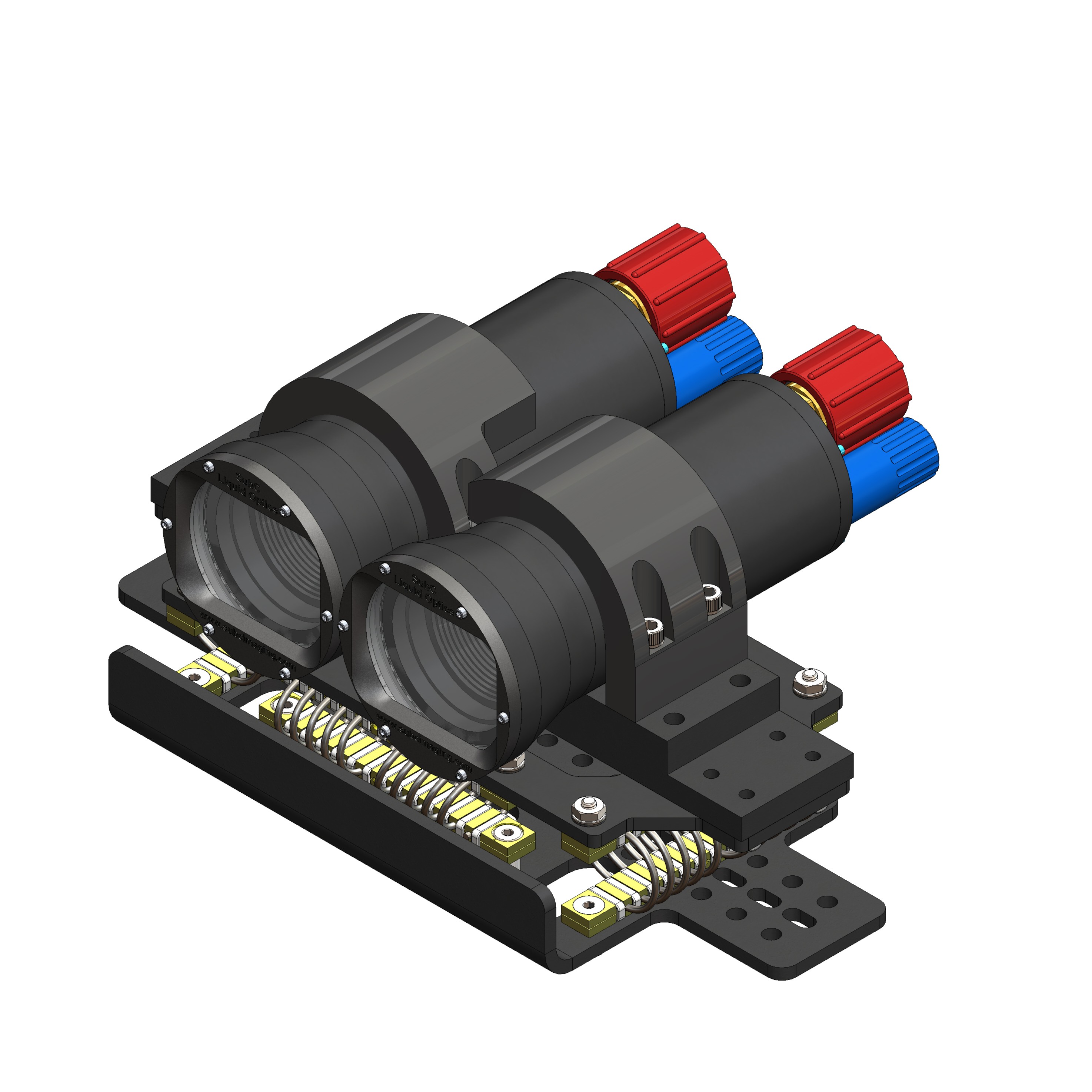
1 - Rayfin Stereo with Detached Aquorea LED |
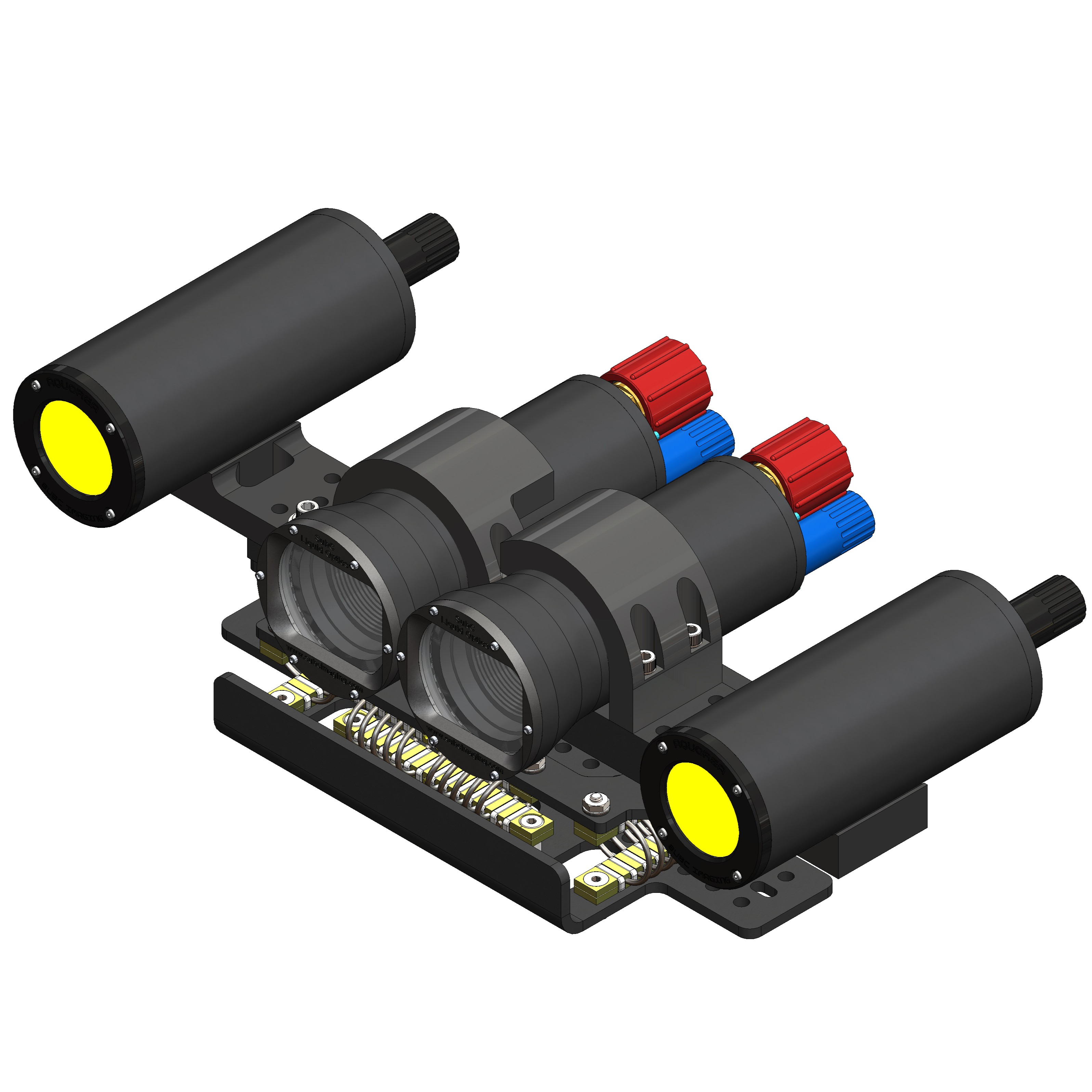
2 - Rayfin Stereo with Attached Aquorea LED |
|---|---|
|
|
Features:
|
|
|
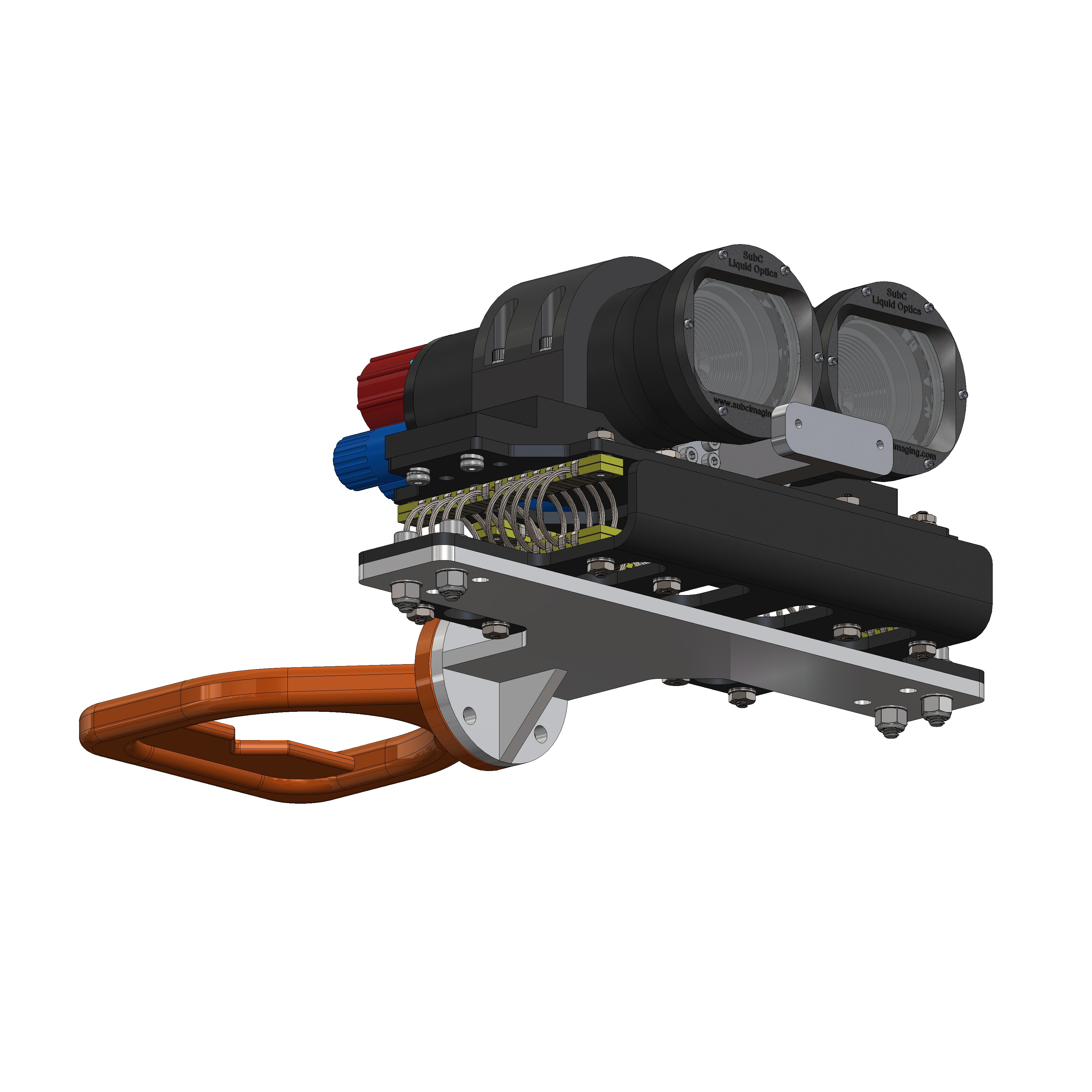
1 - Rayfin Stereo on ROV Mounting: LEDs detached |
2 - Rayfin Stereo for ROV Mounting: LEDs attached |
|---|---|
|
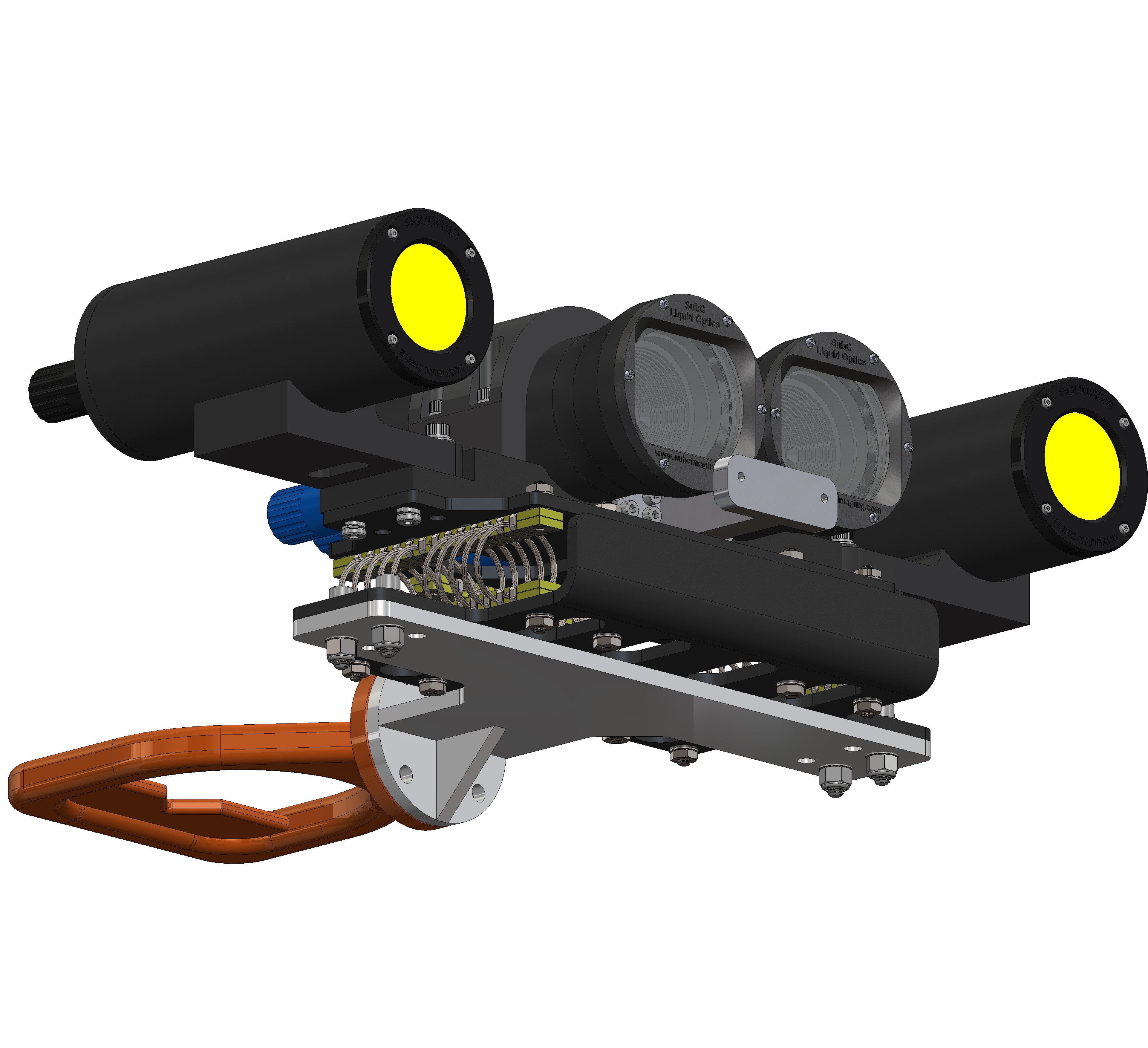
|
Features:
|
|
3. Starting Rayfin Stereo:
1. Setting up Aquorea LEDs:
-
-
Configuration 1: Aquorea LEDs on ROV:
-
To mount Aquorea LEDs on your ROV system, follow these steps:
-
-
-
Measure the side feature on your ROV to determine the ideal location for the Aquorea LED pivot sub-assembly. Adjust the Aquorea mounting location as per your requirements.
-
Using the Aquorea LED Mounting Template, drill holes on both sides of your ROV. A 17/64” (6.8mm) drill bit provides the best fit.
-
Mount the Aquorea pivot using the supplied 1/4”-20, 1-3/4” socket-head screws and fasteners. Use longer screws if needed on your ROV.
-
Install the Aquorea LED, secure the clamps, and adjust the angle to suit your needs.
-
-
For complete assembly steps, follow the assembly guide, LED Mounting on ROV.
b. Configuration 2: Aquorea LEDs on Stereo System:
To mount Aquorea LEDs on the stereo system, follow these steps:
-
-
-
Disassemble and isolate the Aquorea LED base from the Aquorea pivot sub‑assembly.
-
Using the provided LED base mount and 1/4"-20, 1" socket‑head screws, attach the LED base mount to the main mounting plate.
-
Install the Aquorea LED and secure it with the provided clamps.
-
Ensure the LED front face sits flush with the Rayfin front.
-
-
Note: Depending on your ROV, you may need to trim it to achieve balanced buoyancy.
For complete assembly steps, follow the assembly guide, LED Mounting on Stereo System.
2. Setting up Rayfin Stereo System:
Stereo Rayfin on ROV:
To install the Rayfin Stereo System on your ROV, follow these steps:
-
-
-
Ensure your ROV has adequate mounting space at the chosen location.
-
Using the Rayfin Stereo System Mounting template, drill the mounting holes. A 17/64” (6.8mm) drill bit provides the best fit.
-
Install the Rayfin Stereo assembly with the provided 1/4”-20, 1” socket head screws and fasteners. Depending on your sled thickness, you may need longer screws.
-
Secure the assembly and ensure it clears nearby objects so it can vibrate freely.
-
-
For complete assembly steps, follow the assembly guide, Rayfin Stereo System Mounting on ROV.
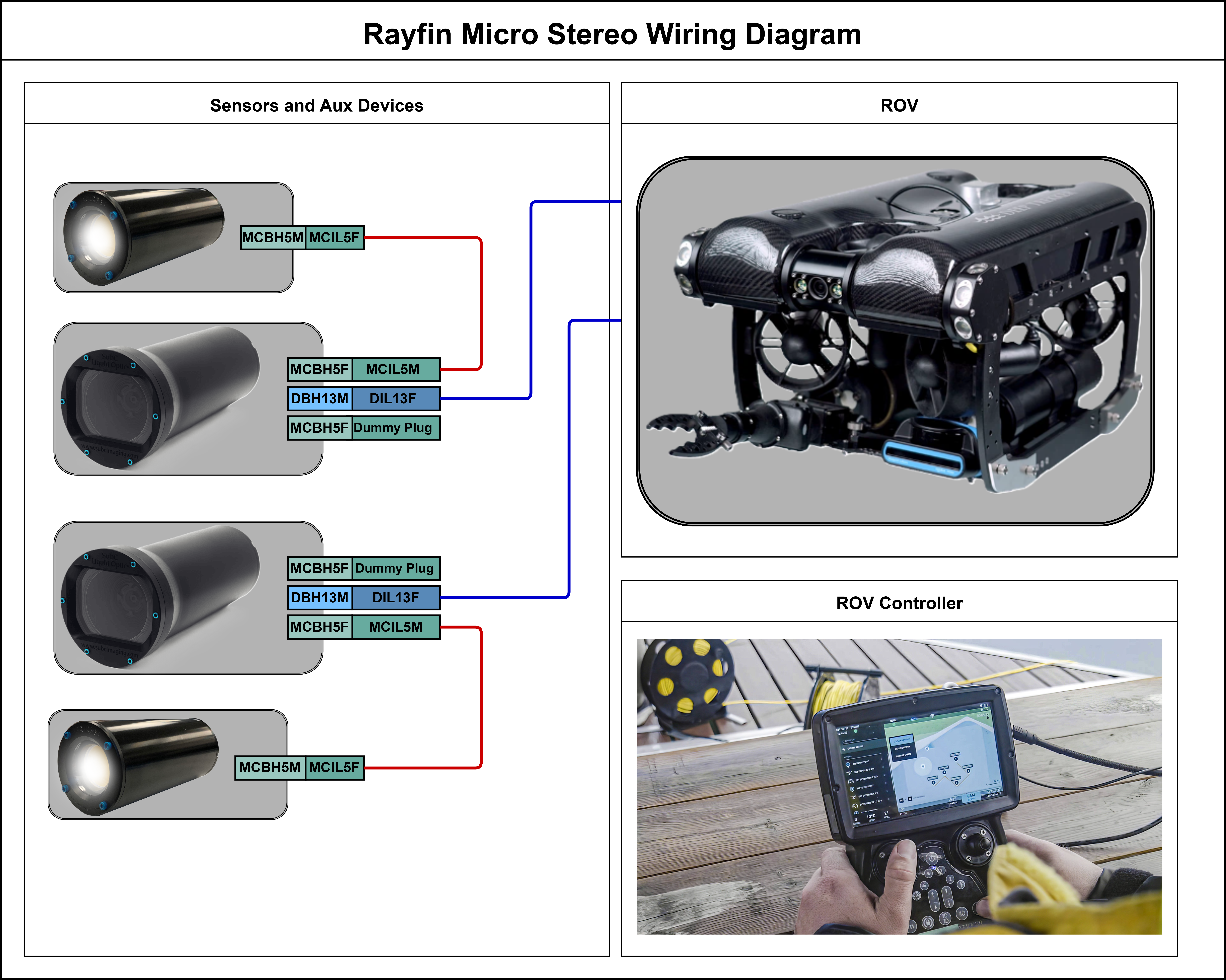
4. Electrical Connection: