
Streaming with SubC SecureEdge
In the previous version of the Stream desktop application (v4.3) we introduced the ability to take in a SubC SecureEdge Stream

In Stream v4.4 we have now also included the ability to Stream to SubC SecureEdge Servers.
SubC SecureEdge Server is similar to SubC Cloud Stream Servers, with the main difference being, SecureEdge Stream Servers reside within your LAN.
See Data Security and Streaming and Streaming with SubC SecureEdge for more details.
Pause Channel Video

|
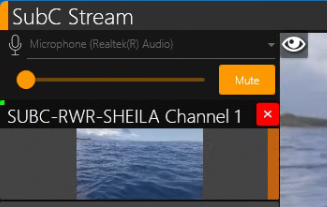
The “eyeball” toggle button allows you to pause the Channel video in the Preview & Main Center video viewers in the Stream DT UI. This conserves your Network bandwidth utilization. It does not pause the Channel video Streaming to SubC Cloud Stream Servers. |
|---|