
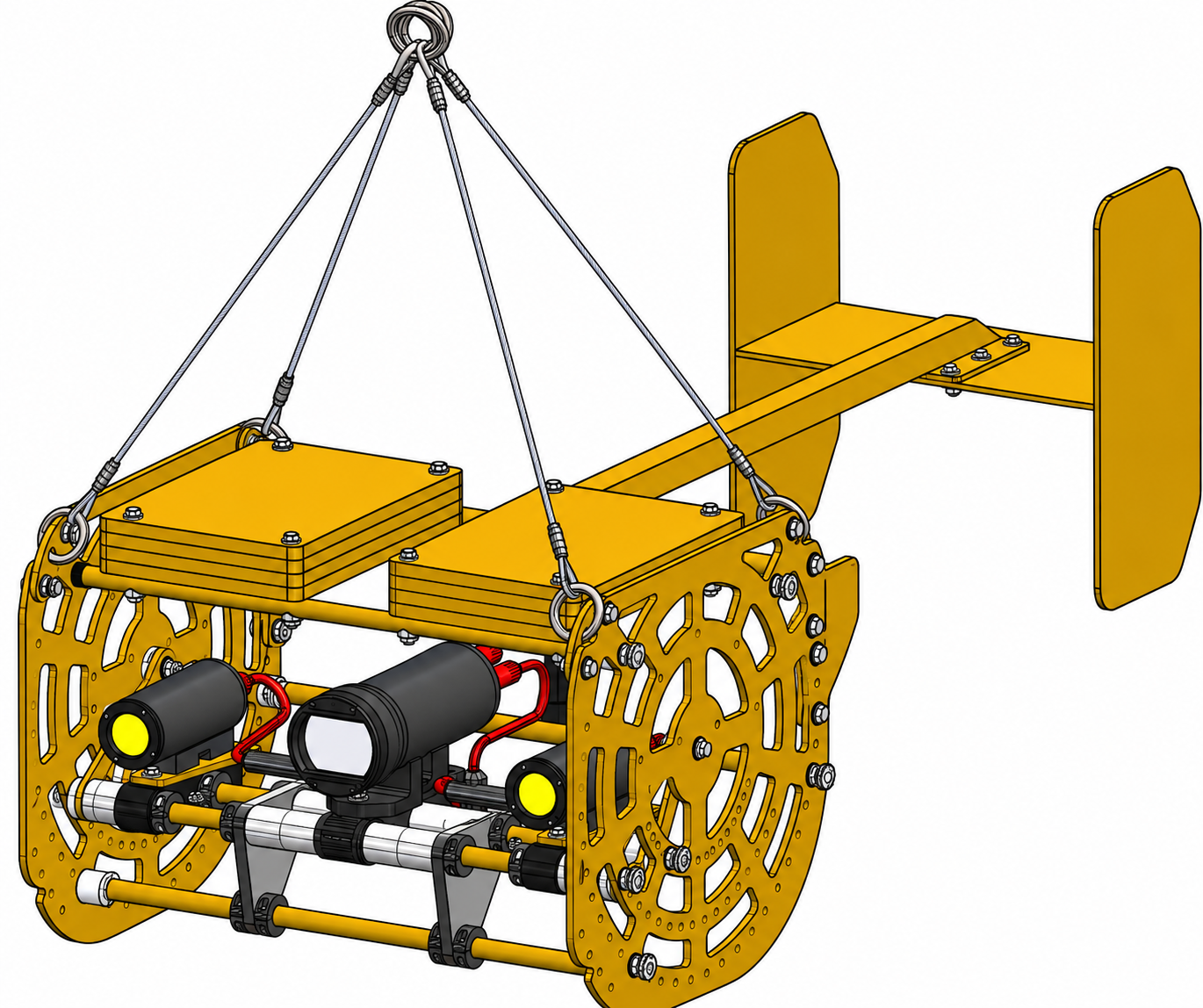
SubC Equipment Connection Diagrams
|
|
|
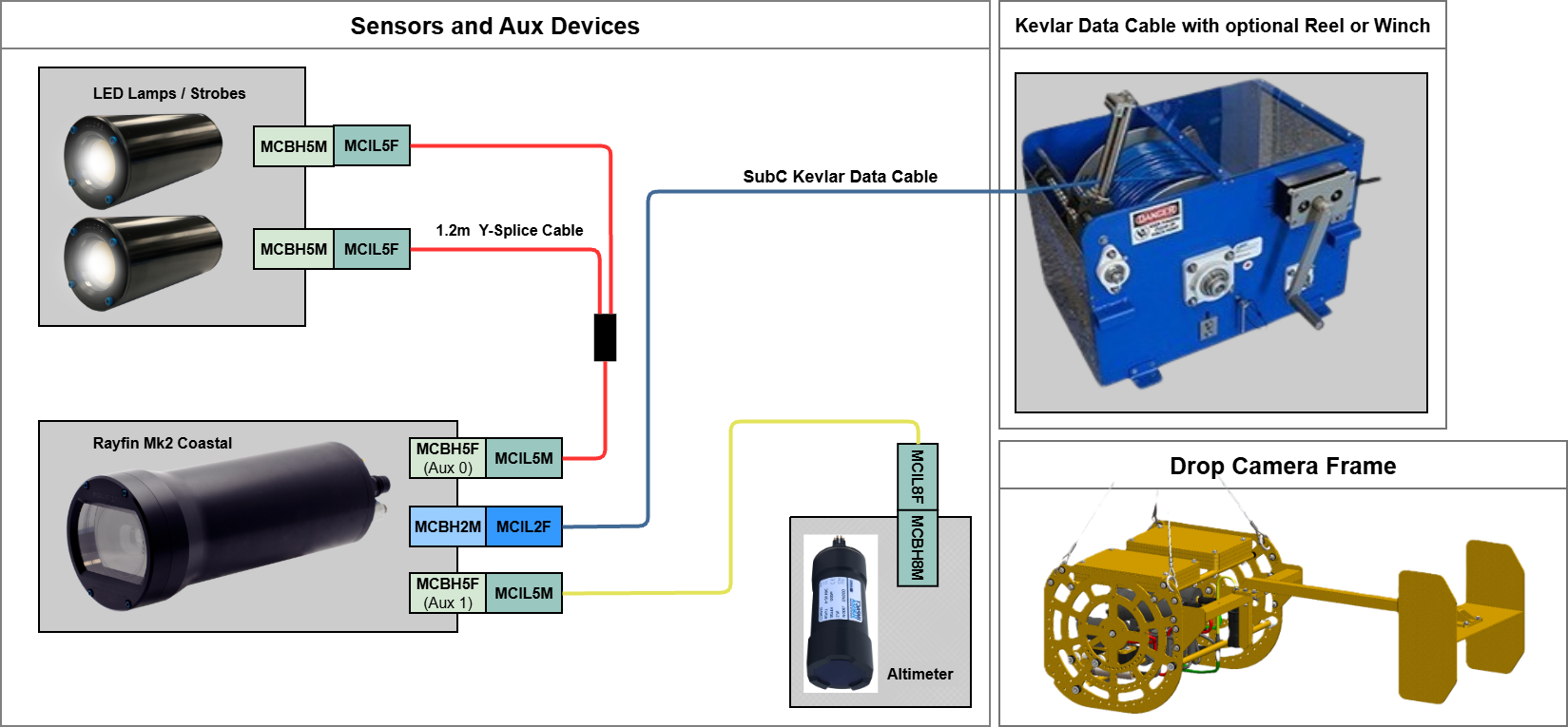
The purpose of this diagram is to ensure the client/user can properly set up and test before using this product in live situations. It can also be used to verify all pieces of equipment are included. |
|
|
|
Sensors & Aux Devices
|
|
 |
Cable Routing & Connections
|
Altimeter
|
|
|
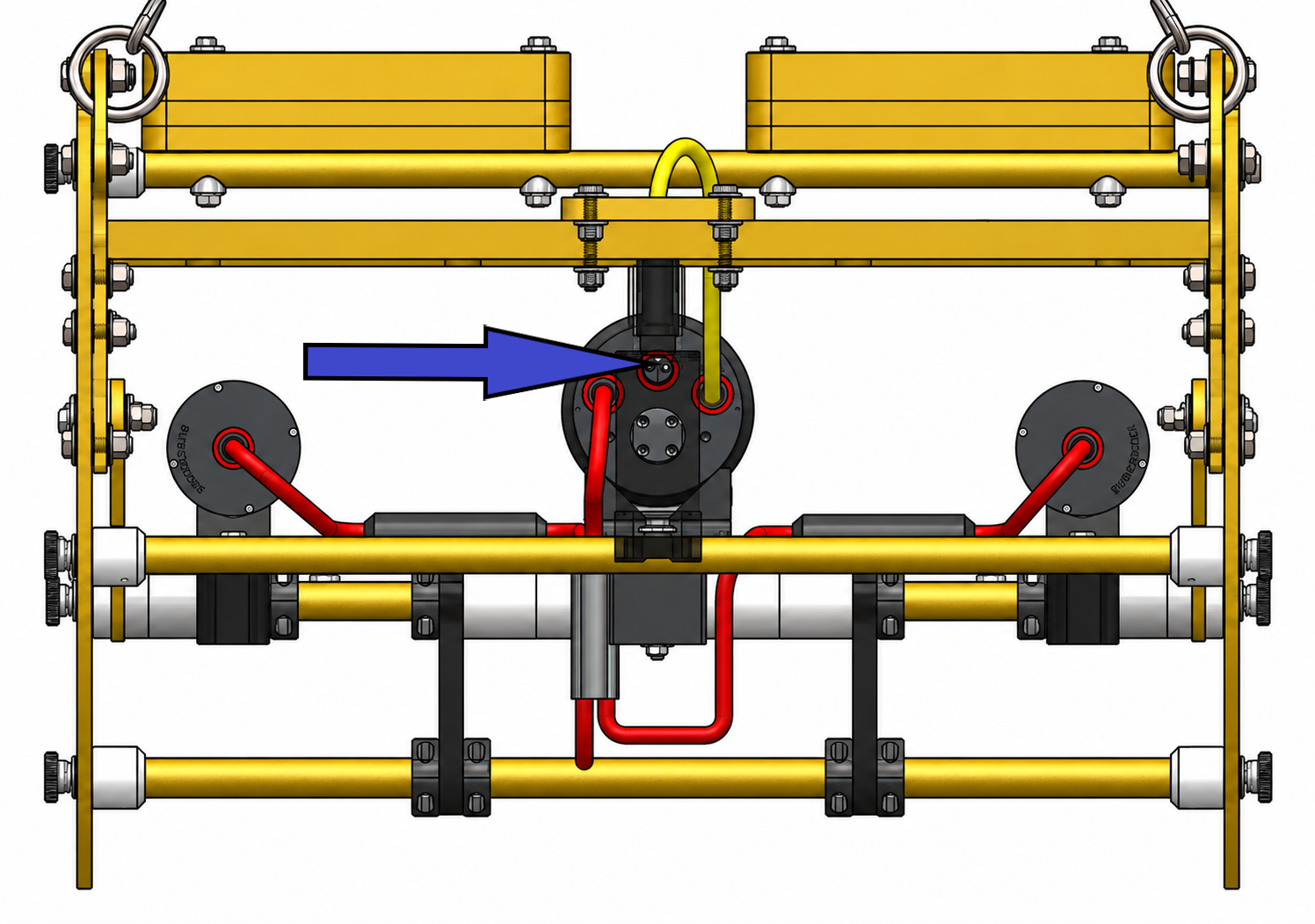
The BLUE cable (shown with blue arrow) from the winch connects to the Rayfin camera system in the main bulkhead
|
|
|
The single end of the RED Long Y-Splice cable connects to AUX 0 on the Rayfin Mk2 Camera. The two connectors at the other end attach to both Aquorea MK3 LEDs. |
|
|
One end of the YELLOW altimeter cable connects to AUX 1 on the Rayfin Mk2 Camera. |
|
|
The MCIL8F end of the YELLOW Altimeter cable plugs into the altimeter bulkhead. |
|