
Rayfin Input Feature

Select Menu → Rayfin White Balance
White Balance setting determines the RGB (Red, Green, Blue) values.
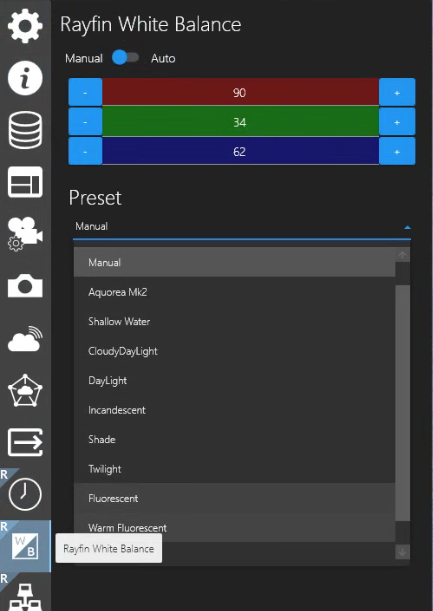
Manual Mode
Select Manual if you wish to manually adjust the white balance values.
Use the “-” and “+” buttons to adjust the RGB to your preference.
Presets - Select your preference from this dropdown field.
Note, when operating in water depths less than 100m, the "Shallow Water" white balance preset may give you a higher quality image.”
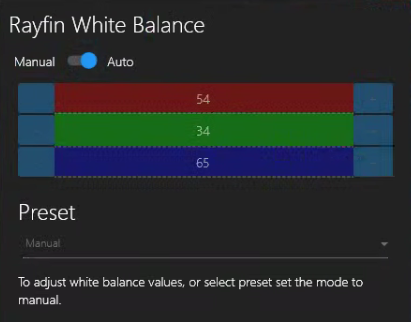
Auto Mode
In Auto mode, the RGB values will adjust automatically as the contents of the video change.
Presets are not available in Auto mode.