
SubC Rayfin Script Builder is a web application that allows users who are familiar with script programming to create, run and apply API scripts on Rayfin cameras.
There are two methods to open the Rayfin Visual Script Builder
-
From the SubC DVR+O / SCI or RCS application UI
-
Connect a Channel to a Rayfin camera
-
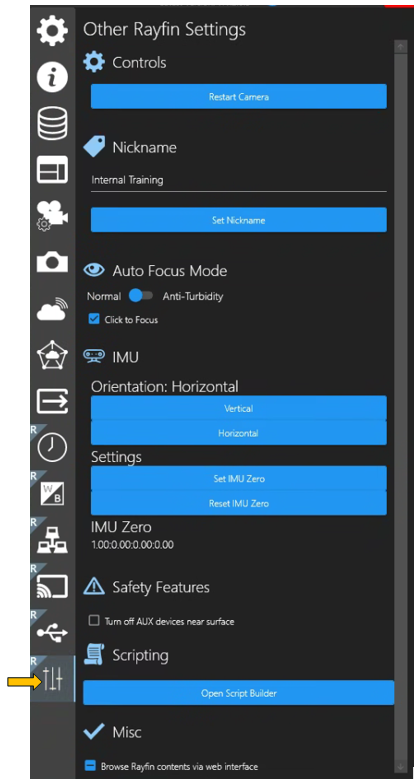
Select Menu → Other Rayfin Settings → Scripting → Open Script Builder
-
- Or -
-
By typing the Rayfin camera [IP address]:8080/api/scriptbuilder into a web browser.

See RVSB-Operation for description of the SubC Rayfin Visual Script Builder UI features and functionality.