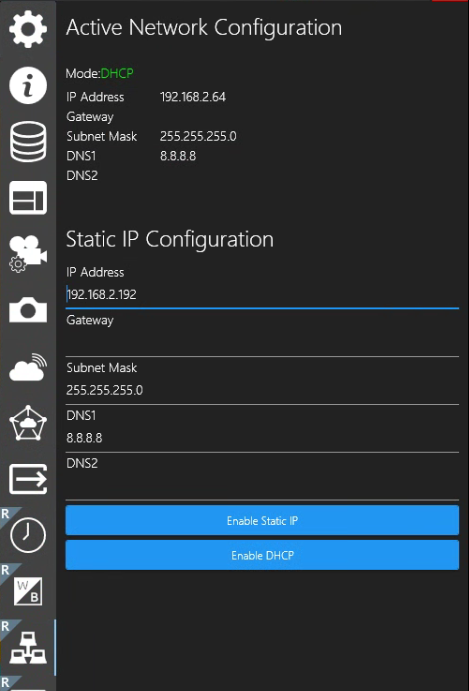
SecureEdge Server IP Address field now allows you to alternatively enter your SecureEdge Server’s hostname.
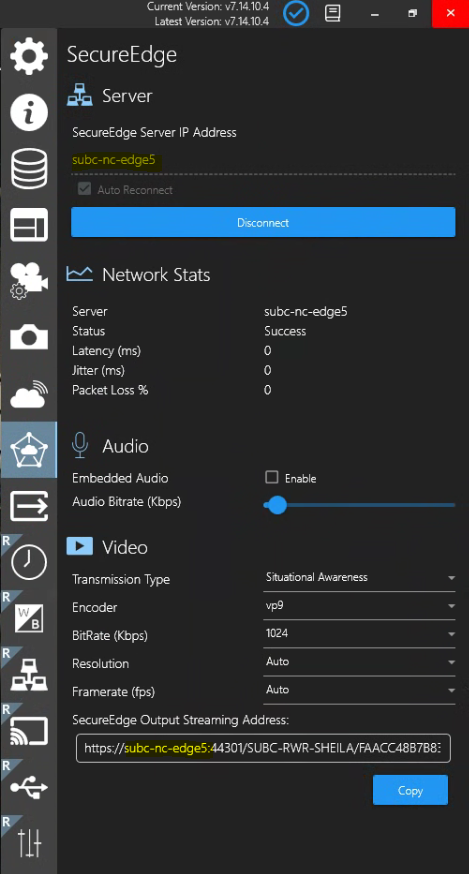
Screen Capture - Select Monitor
If you have multiple monitors connected to your DVR+ host system, you can now select another monitor for screen capture.
By selecting a monitor, other than the monitor on which your DVR+ application appears, you can avoid the “infinity” view of the DVR+ UI.
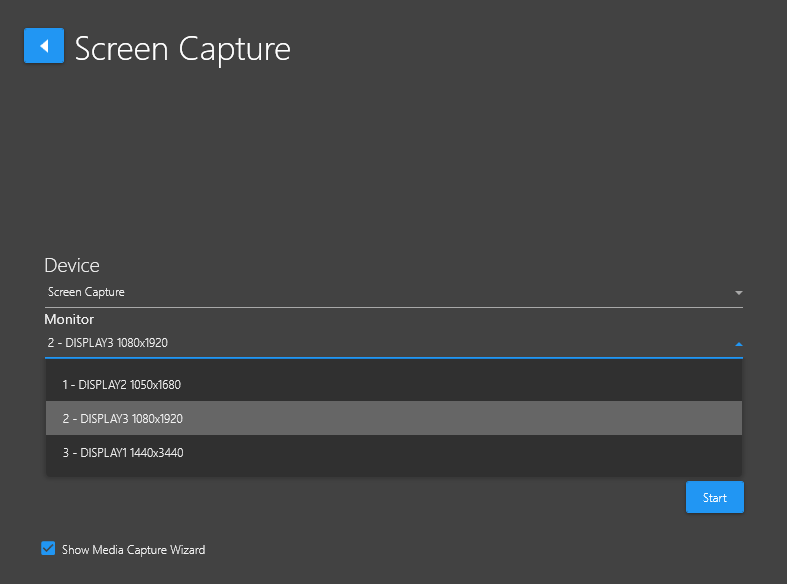
ReviewStudio - Export Log
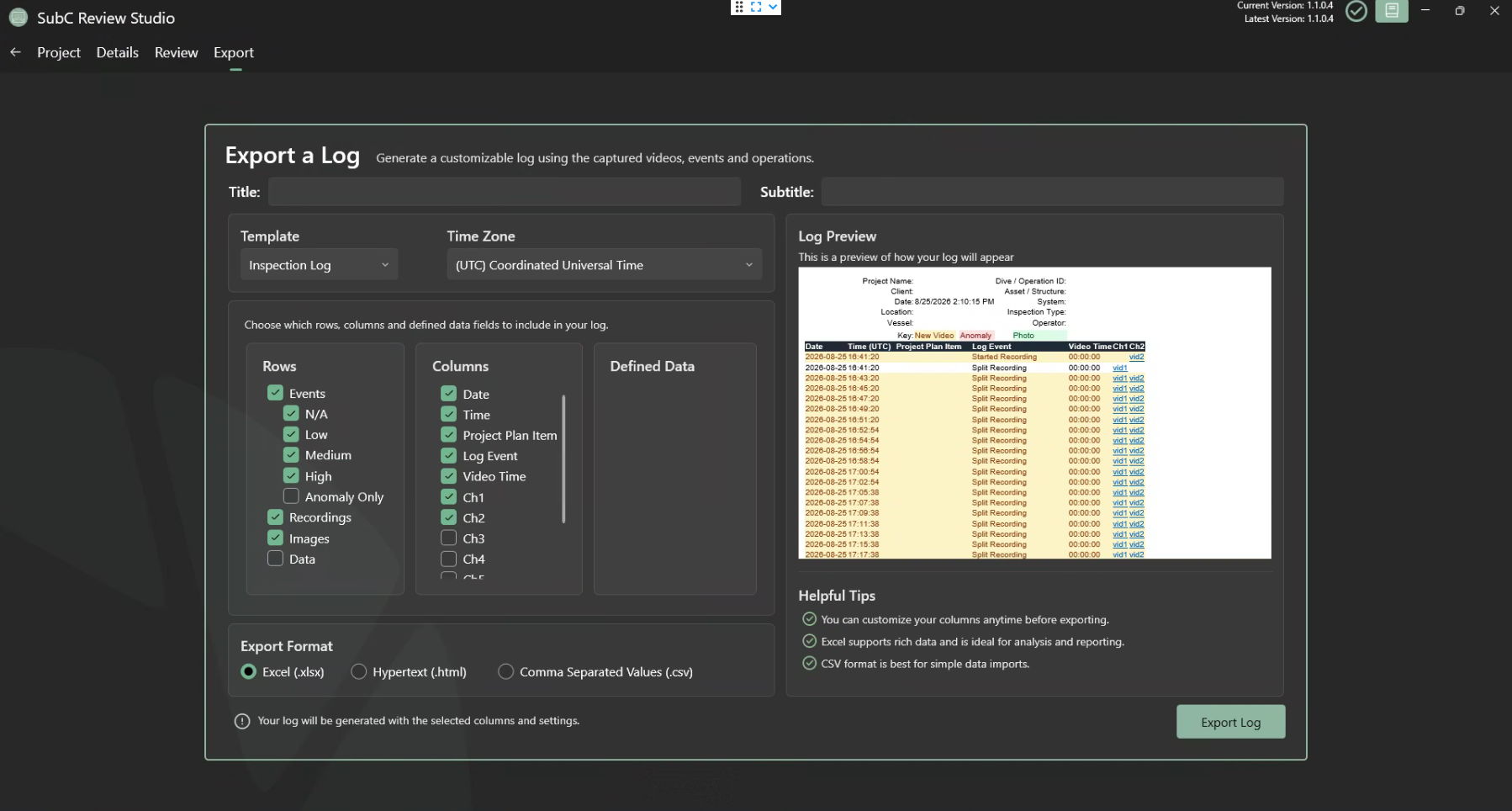
We’ve added a new menu item in ReviewStudio - Export → Export a Log to Generate a customizable log using the captures videos, events and operations.
Select a Log Template, select which Rows, Columns and Defined Data you wish to include. Your selection will appear in the Log Preview windows. Select Export Format and click Export Log.
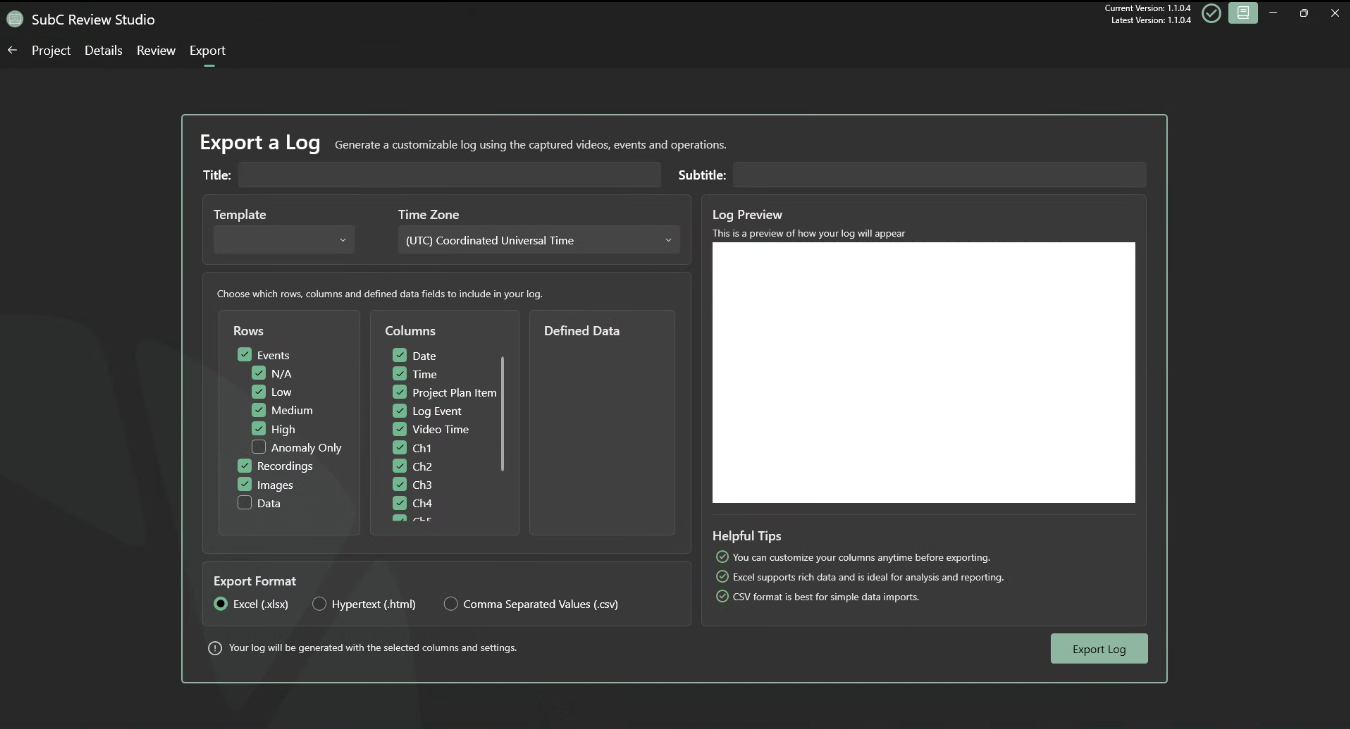
Active Network Configuration
Menu → Rayfin Static IP has been changed to Active Network Configuration.
This feature works the same as before, in that you can change your Rayfin camera from using DHCP IP to Static IP by populating the Static IP Configuration fields and click then Enable Static IP button. To switch back to DHCP IP, click the Enable DHCP button.
Menu → Rayfin Static IP has been changed…
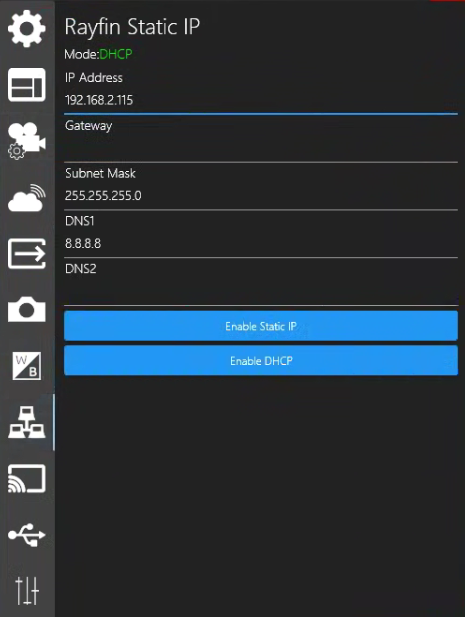
to Menu → Active Network Configuration