SubC Drop Camera System Manual

DCS - Aquorea Mounting

DCS- Aquorea Mounting

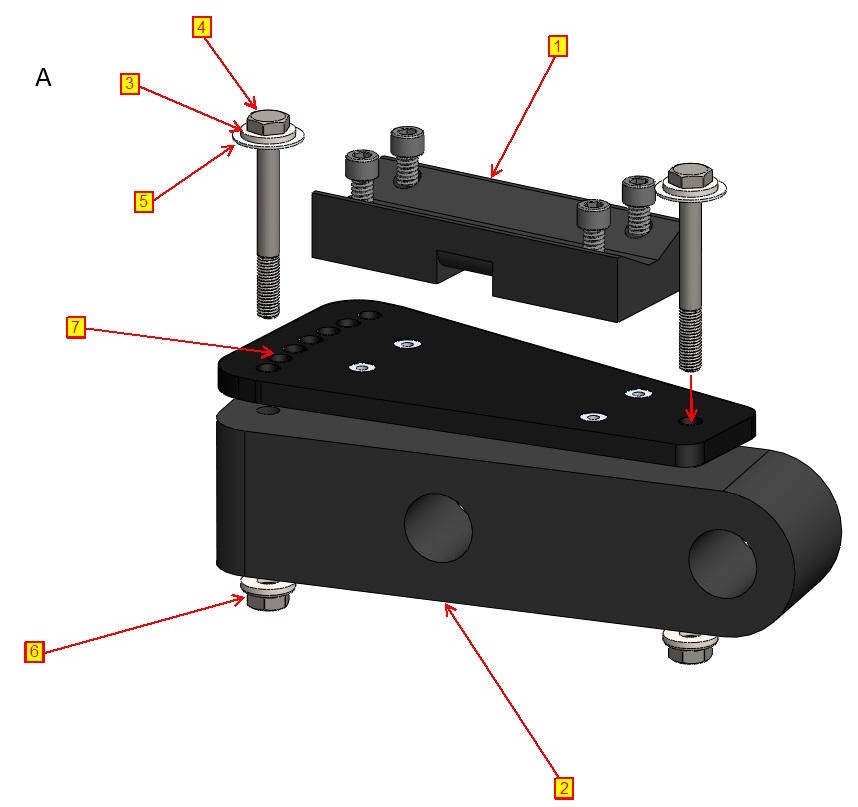
  • Place an angled holder top component ① onto an angled LED holder base ② with the yaw adjustment holes ⑦ facing the front, as shown in Image A. Follow the assembly order for fasteners shown in the image.

  • Pass two (2) stainless steel screws (¼”-20 x 2¾”) ④ through the mounting holes on the angled holder top ①. Ensure that there is a stainless steel washer ③ followed by a plastic washer ⑤ underneath each screw head.

  • Pass the screws through the mounting holes in the angled holder base ②. On the other end of each screw, place a plastic washer ⑤ followed by a stainless steel washer ③ and a stainless steel locking nut ⑥. Tighten the fasteners.

A Aquorea Mounting.jpg


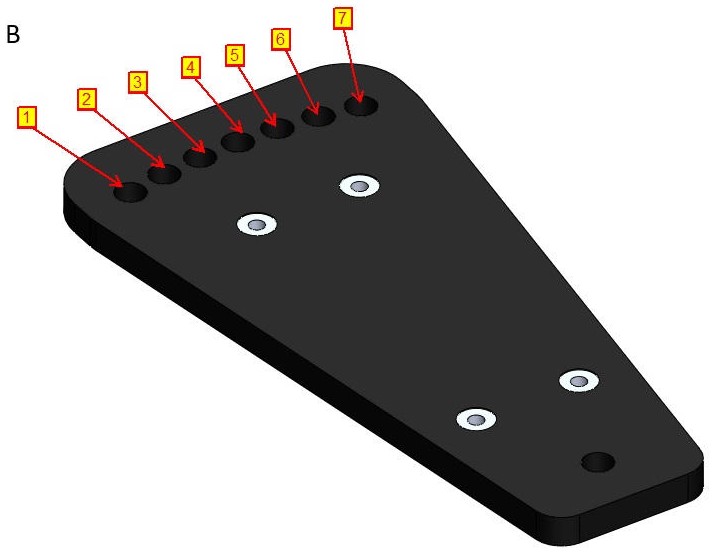
  • There are seven (7) yaw adjustment holes, each separated by 4° as shown in Image B. The possible LED orientations are summarized in the table at the bottom of the page.

B Aquorea Mounting.jpg


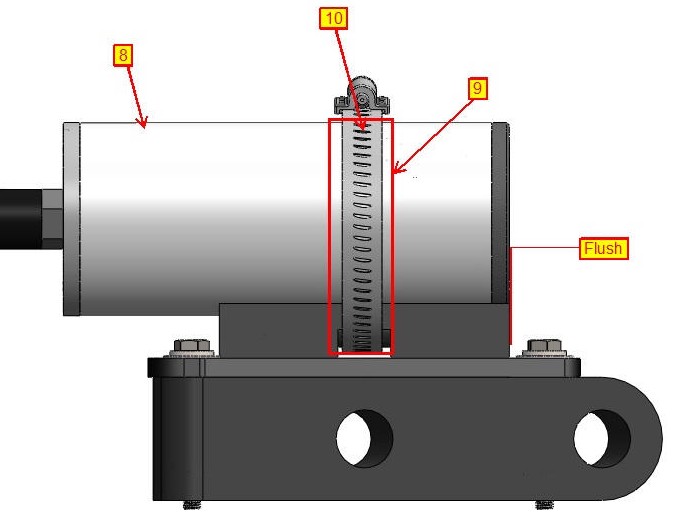
  • Place the Aquorea ⑧ on the LED mount assembly and strap it down using a 316 stainless steel hose clamp, 3-5/16" - 4-1/4" clamp ID, 1/2" band ⑩ with a strip of rubber ⑨ underneath to prevent marring on the housing. Place the LED such that its front face is flush with the front face of the angled holder top component as shown in Image C.

C

C Aquorea Mounting.jpg


Position 

1

2

3

4

5

6

7

LED Angle

+12.0°

+8.0°

+4.0°

0°

-4.0°

-8.0°

-12.0°