SubC Drop Camera System Manual

DCS - DVR-O 7 SCI (Single Channel Inspection) Software Install

Installing DVR-O 7 SCI (Single Channel Inspection)

1

All software and manuals are supplied on the USB drive shipped with your camera. 

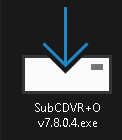
image-20241009-125345.png

2

If you lose the USB drive, please contact support@subcimaging.com.

Software download link: Latest DVR-O 7

3

Open the DVR-O 7 SCI installer from the USB drive and follow the installation steps.

4

After clicking Finish, the RayfinUpdater will open. 

ROM/Firmware/App Updates

If you update your camera while it is set to Static IP, it will revert to DHCP, and you will need a router to return to Static IP mode.

Firmware, ROM, and App updates are now packaged together with DVR-O 7 SCI.

If a ROM update is available, it will show in the Rayfin Connections tab of DVR-O 7.

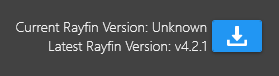
Click the blue arrow to download the latest ROM

To update the Camera, click the green arrow to the right of the Camera information box.

ROM when there is an update available:
image-20241009-125818.png
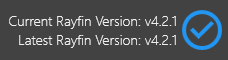
ROM when using the latest version:
image-20241009-130123.png
Update Camera button:
image-20241009-130208.png