
Using Tags can speed up post Inspection processing time to get results more quickly by allowing users to have better control over the directory structure and keep like files together.
For example, if you wish to save video and photos separately, use the type tag in the Directory Template: DATA_yyyymmddmmssfff-type
This will create sub-folders named Data, Stills and Videos inside the Directory path where your Data, Stills and Videos files will be saved.

Place the cursor in the Directory Template path or the File Template path in a position where you want to add format Tags and type $ to display & select from the list of available Tags.
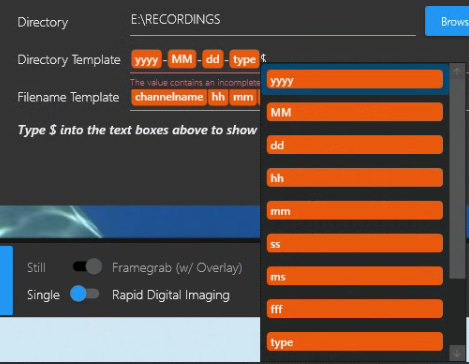
Tag Definitions
|
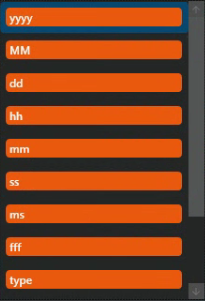
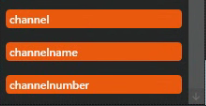
${yyyy} displays all 4 digits of the current year, i.e. 2026 ${MM} displays the current month, numerically, i.e. 09 ${dd} displays the current day, numerically, i.e. 17 ${hh} display the current hour in 24-hour format, i.e. 15 ${mm} display the current minute. i.e. in range ${ss} displays current second, i.e. in range from ${ms} displays milliseconds, i.e. 2823 ${fff} displays fractional seconds, i.e. 357 ${type} - displays the type of file; Examples: “Videos” for .mp4 files, “Data” for .csv and “Stills” for .jpeg ${channel} displays the DVR+/SCI Channel Number, i.e. 1 ${channelname} - displays the name of the Channel, i.e. [HOSTNAME] Channel 1 (See Menu → Channel Info → Channel Name) ${channelnumber} - displays the Channel number, i.e. 2 |