
A Capture Card is a device that is installed inside a system and is used to directly connect to another device (such as a camera) via a cable (i.e. HDMI) to feed in that device’s video output and/or images into the system.
-
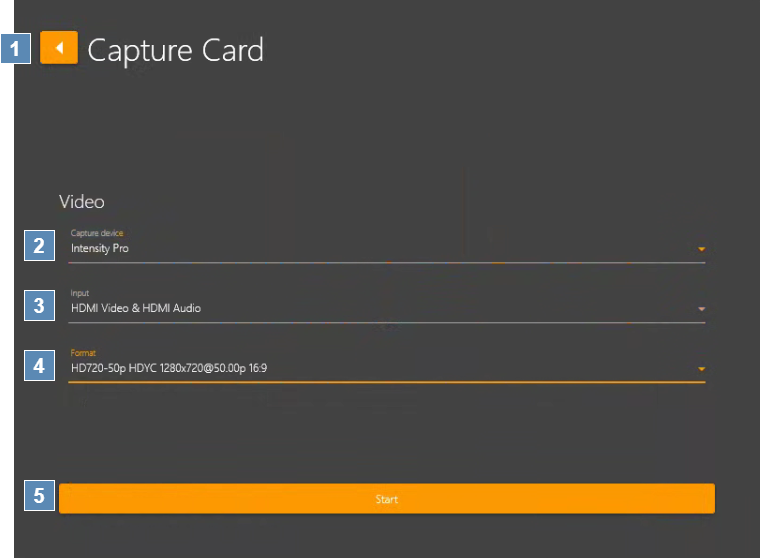
Back – Return to the Input screen.
-
Video → Capture device – Drop-down field shows connected capture cards installed on your computer.
-
Video → Input – Drop-down field shows a list of input options available on the selected Capture card.
-
Video → Format – Drop-down field shows a list of video formats available on the selected Capture card.
-
Start – Start the Capture Card input video feed.