

Menu → Channel Info
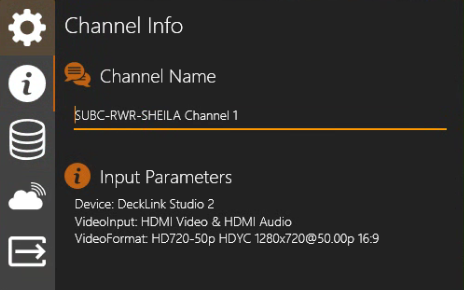
When Channel Input is Capture Card
|
Channel Info Channel Name: The name of the current Channel appears in this field. Default is the PC hostname and Channel #. You can edit this field to change the Channel name. Input Details
|
|---|
When Channel Input is IP Camera
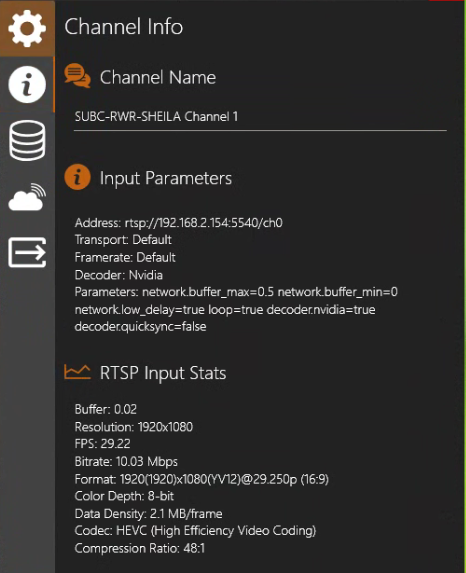
Input Parameters
-
Address: Displays the Address entered to connect to the video source.
-
Transport: Displays the selected transport protocol.
-
Framerate: Displays the selected frame rate
-
Decoder: Displays the selected decoder
-
Parameters: Displays the advanced parameter settings
RTSP Input Stats
-
Buffer: Displays seconds of video preloaded
-
Resolution: Displays the incoming source video resolution value
-
FPS: Displays Frames per second
-
Bitrate: Displays the bitrate of the incoming source video
-
Format: Displays the format of the incoming source video
-
Color Depth: Also known as bit depth, is the number of bits used to indicate the color of a single pixel
-
Data Density: Refers to the amount of data used to transmit a video or image
Example, 2.1 MB per frame means for every frame in the video, approx. 2.1 MD of data is being transmitted. -
Codec: Displays the selected video compression method (Example: HEVC = H.265)
-
Compression Ratio: Refers to the ratio of the size of the compressed video to the size of the uncompressed video. It’s a measure of how much data has been removed from the video to reduce its size. Example: 51/1 is uncompressed size / compressed size.
When Channel Input is Presentation → Presentation
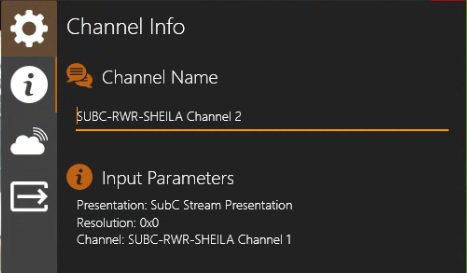
Input Details
-
Presentation: Displays the name of the selected Presentation
-
Resolution: Displays the video resolution
-
Channel: Displays the name of the Presentation’s source streaming Channel
When Channel Input is Presentation → One-Time Stream
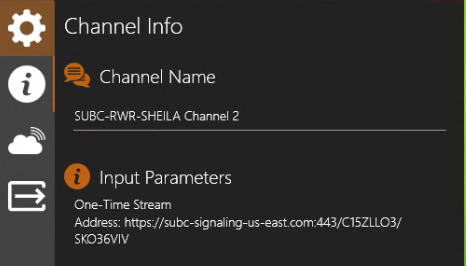
Input Details
-
Displays the One-Time Presentation Name: Example: “One-Time Stream”
-
Address: Displays the link address for the One-Time Presentation video.
When Channel input is Screen Capture → Screen Capture
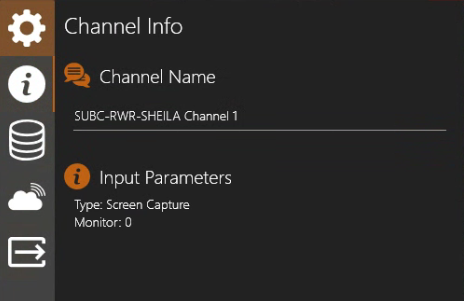
Input Details
-
Type: Displays the Screen Capture type that has been selected.
-
Monitor: Displays the identification number of the monitor that is the source of the current Screen Capture input (you may have multiple monitors connected to the system).
When Channel input is Screen Capture → Window Capture
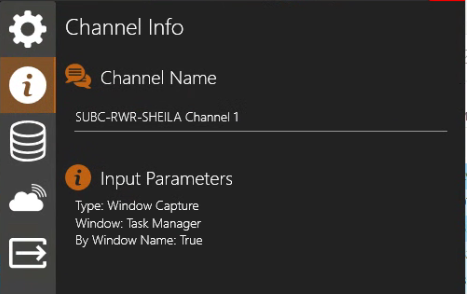
Input Parameters
-
Type: Displays the Window Capture type that has been selected.
-
Window: Displays the name of the Window that is being captured.
-
By Window Name: Displays True or False, depending on if you selected “Load by Window Name” in the previous Screen Capture selection step.
When Channel input is Edge
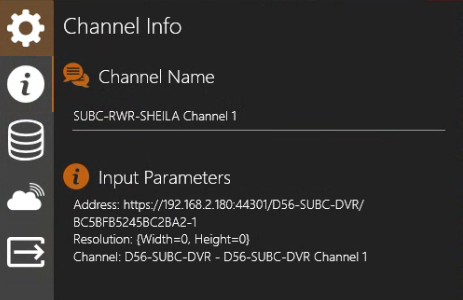
Input Parameters
-
Address: Displays the video source URL of the IP Address, Peer and StreamKey of the SubC system that is streaming to the SubC SecureEdge server
-
Resolution: Displays the video resolution
-
Channel: Displays the Peer and Channel of the source SubC system that is streaming to the SubC SecureEdge server