
Problem
If when reviewing your saved image stills and videos, if you click on the Review Media button and receive the following Windows OS error, you’ll need to set up SMB 1.0.
Solution
SMB 1.0 is required to interface with the Rayfin camera storage over Ethernet.
-
Click the PC’s Windows Start Menu
-
Select Search
-
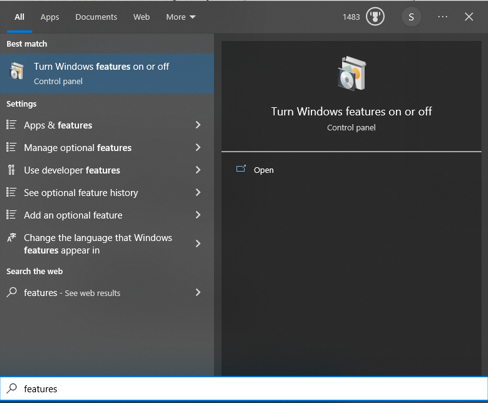
Type Features into the search field
-
Select Turn Windows features on or off
-
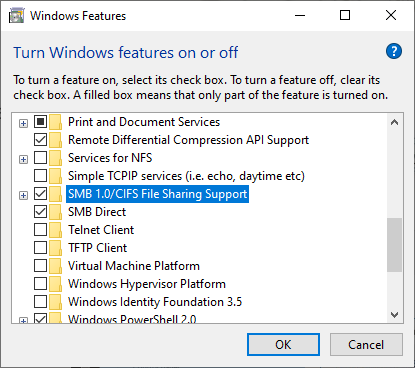
Enable SMB 1.0/CIFS File Sharing Support
-
Click Ok
-
Click on the Gallery icon again and you should be able to access your saved image stills and videos.