Ensure DVR-O SCI is installed by following the Software Install instructions in the Appendices.
-
Power on the BoostPower Comm (BPC) box. It will take approximately 30 seconds for the Rayfin to be displayed on the network.
-
Open the DVR-O SCI software. Select Rayfin, and connect to the camera
-
Open Settings

Set the Following Parameters:
Option A: Standard DCS (2x LEDs, Altimeter)
-
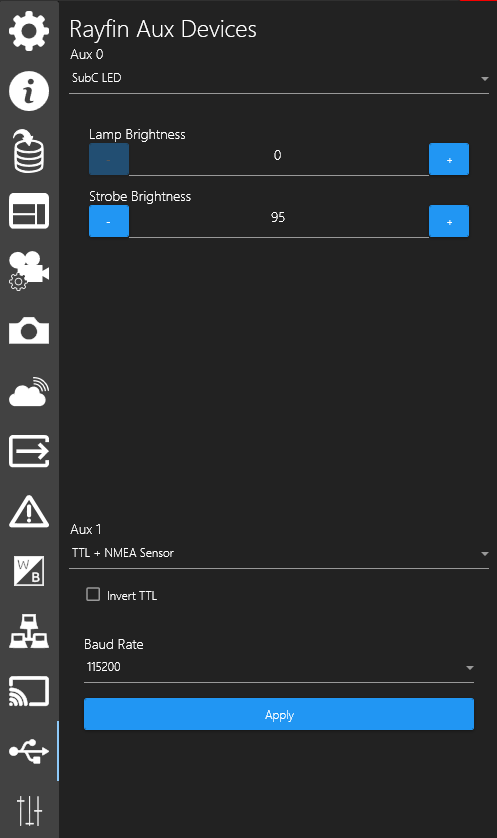
Rayfin Aux Devices

-
Aux0 is set to Aquorea Mk3
-
Aux1 is set to NMEA Sensor
-
-
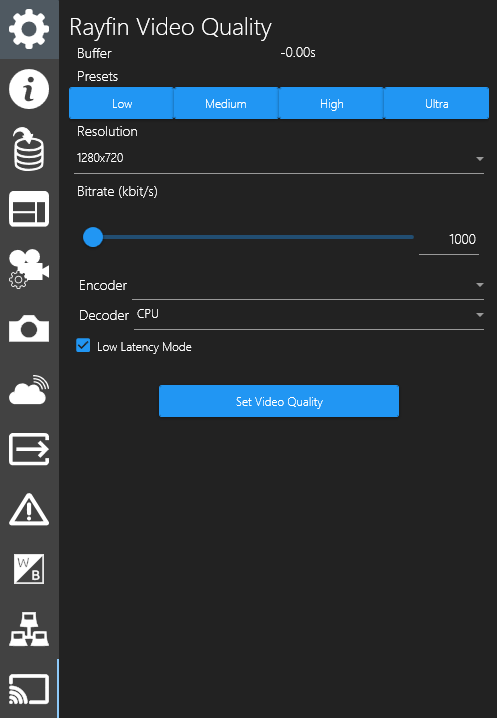
Rayfin Video Quality Tab

-
The preset is set to LOW
-
Check the box for Low Latency mode.
-
Encoder: H265
-
Decoder: CPU **Or best PC has to offer
-
-
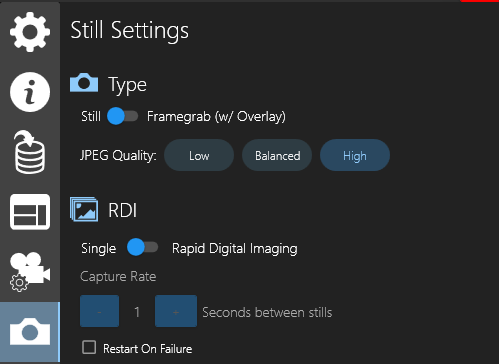
Stills Settings

-
JPEG Quality is set to High
-
Type: Still
-
-
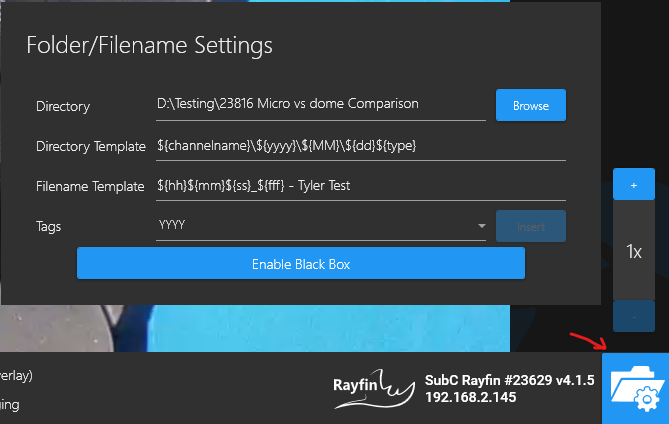
Folder/File Name Settings

-
Directory - This is a drive or folder on a PC where you want to save your stills/videos.
-
-
Safety Feature

Option B: Standard DCS + Manta Ray
-
Rayfin Aux Devices

-
Aux0 is set to Aquorea Mk3
-
Aux1 is set to TTL + NMEA Sensor
-
-
Rayfin Video Quality Tab

-
The preset is set to LOW
-
Check the box for Low Latency mode.
-
Encoder: H265
-
Decoder: CPU **Or best PC has to offer
-
-
Stills Settings

-
JPEG Quality is set to High
-
Type: Still
-
-
Folder/File Name Settings

-
Directory - This is a drive or folder on a PC where you want to save your stills/videos.
-
-
Safety Feature
Option C: Standard DCS + Skate MK2
-
Rayfin Aux Devices

-
Aux0 is set to Aquorea Mk3
-
Aux1 is set to TTL + NMEA Sensor
-
-
Rayfin Video Quality Tab

-
The preset is set to LOW
-
Check the box for Low Latency mode.
-
Encoder: H265
-
Decoder: CPU **Or best PC has to offer
-
-
Stills Settings

-
JPEG Quality is set to High
-
Type: Still
-
-
Folder/File Name Settings

-
Directory - This is a drive or folder on a PC where you want to save your stills/videos.
-
-
Safety Feature
NOTE: Please DO NOT operate the Rayfin or LEDs in the air for a prolonged period